✅ Verdict — PASS
The Admin App Workflows page Organisation(s) selector now defaults to single-select: choosing a new organisation replaces the current one with no manual unselect, and a “Multiple” toggle switches the control into the original multi-select behaviour on demand. Both test cases passed in full — TC1 (single-select default, 11 steps) and TC2 (enabling multi-select, 8 steps). Two Low-severity observations were recorded; neither blocks the story's acceptance criteria.
Tested on dev, where the redesign is already present, even though the Jira story is still In Progress.
Scope & Setup
Story: ENG-5084 — [Admin App] FEEDBACK — Improve usability of Organisations multi-select field. Goal: let users change the selected organisation without manually unselecting the previous one (single-select by default), with an option to enable multi-select; reduce accidental multi-selection.
Both test cases ran in one authenticated session (Microsoft Entra) against admin.automate.dev.sense.engineering/workflows. The precondition — at least two organisations with workflows — was satisfied using Sense Demo (53 workflows) and Sense Tech Demo (3 workflows). The selector renders as a combobox “Select an organisation” with an adjacent “Multiple” toggle (tooltip “Allow selecting multiple organisations”).
TC1 — Verify Single-Select Default Behaviour of the Organisations Field
Overall: PASS — 11 pass / 0 fail / 0 blocked
| # | Action | Verdict | Evidence |
|---|---|---|---|
| 1 | Log in to the Admin App | PASS | Authenticated during setup; loaded /workflows (title Sense Automate - Workflows) |
| 2 | Navigate to the Workflows page | PASS | URL /workflows; Workflows heading; Organisation(s): selector rendered above the table |
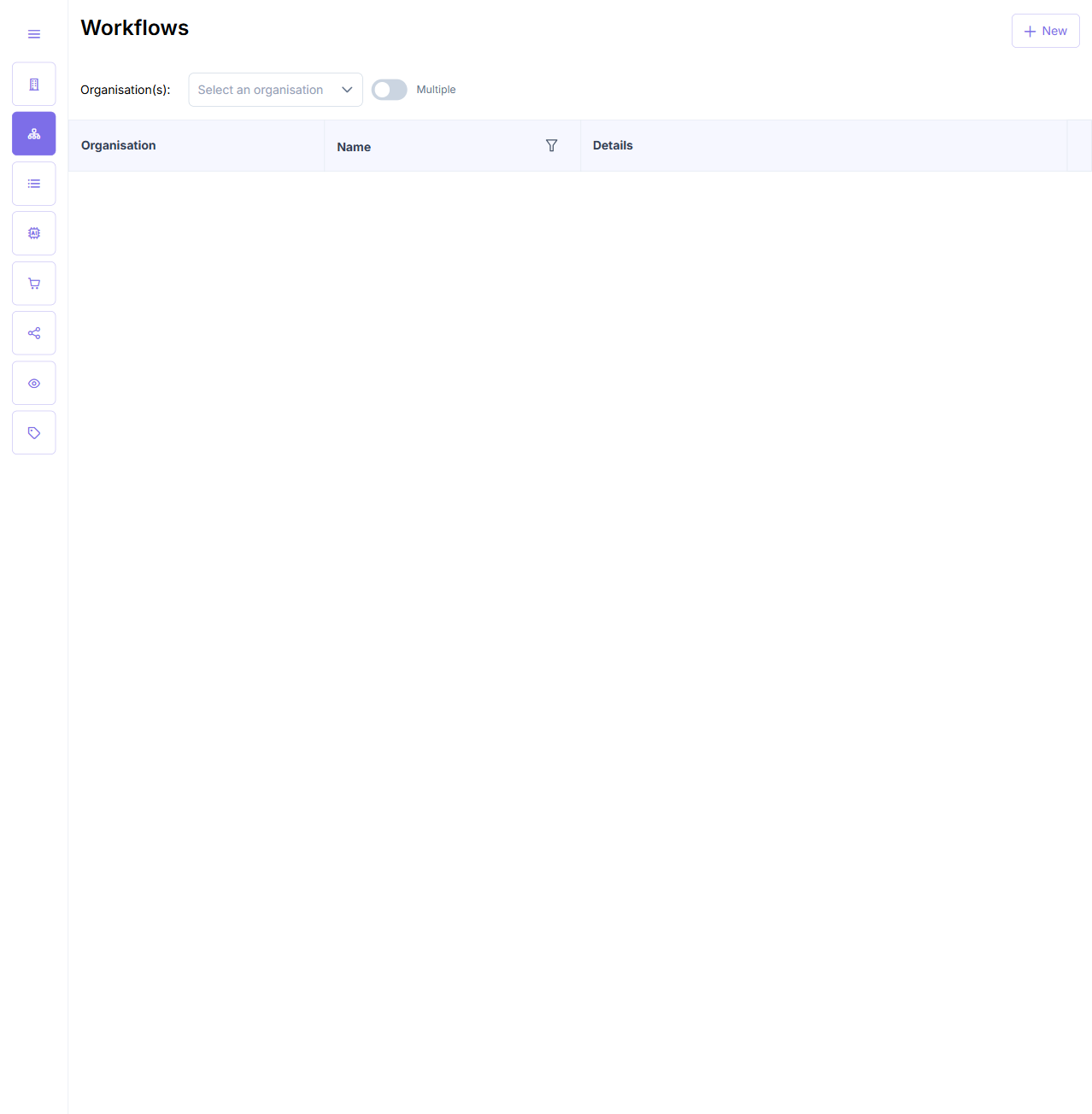
| 3 | Inspect the selector before making a selection | PASS | Renders as combobox “Select an organisation” — placeholder only, no organisation selected by default |
| 4 | Inspect the workflows table before selecting | PASS | Table body empty (no rows) |
| 5 | Open the selector and type into its search box (“Sense”) | PASS | Option list filtered from ~54 orgs to the two matches: Sense Demo, Sense Tech Demo |
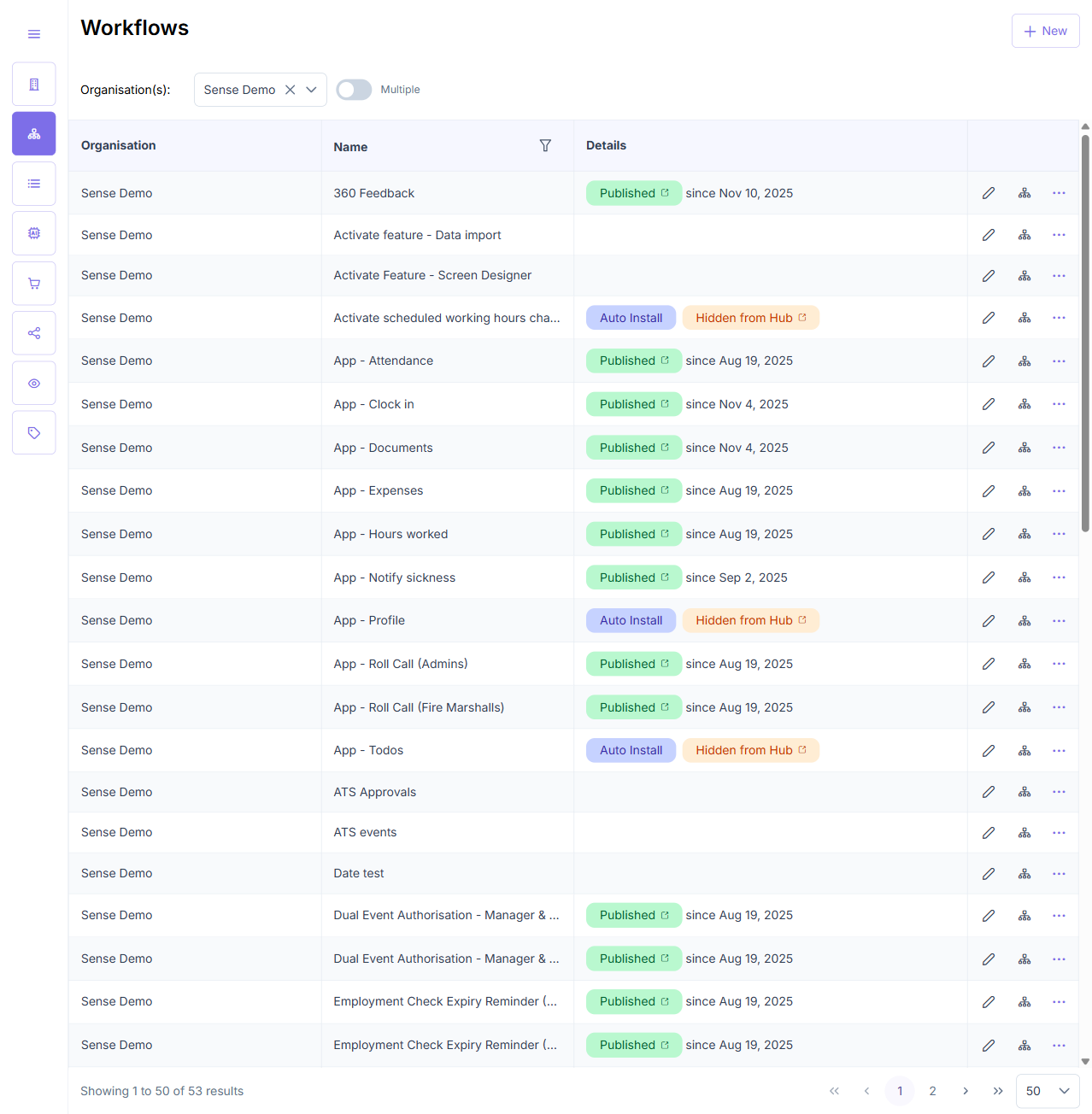
| 6 | Select a single organisation (Sense Demo) | PASS | Combobox label becomes Sense Demo — shown as the only selection (dropdown closed) |
| 7 | Review the table after selecting | PASS | Table populated; every row Organisation = Sense Demo (50 shown / 53 total); no other org present |
| 8 | Open the selector again and choose a different org (Sense Tech Demo) without first unselecting | PASS | Combobox label changes Sense Demo → Sense Tech Demo; the new org replaces the previous one as the only selection |
| 9 | Review the table after switching | PASS | Table re-filtered to 3 rows, all Sense Tech Demo; footer Showing 1 to 3 of 3 results |
| 10 | Clear the current organisation selection | PASS | Clear (×) icon reverts the combobox to placeholder Select an organisation; no org selected |
| 11 | Review the table after clearing | PASS | Table body empty again; pagination footer removed |
Key result: the field behaves as a true single-select — selecting a second organisation silently replaces the first, with no manual unselect required (the core ENG-5084 ask).
TC2 — Verify Enabling Multi-Select on the Organisations Field
Overall: PASS — 8 pass / 0 fail / 0 blocked
| # | Action | Verdict | Evidence |
|---|---|---|---|
| 1 | Log in to the Admin App | PASS | Authenticated during setup (same session as TC1) |
| 2 | Navigate to the Workflows page | PASS | URL /workflows; selector present above the table |
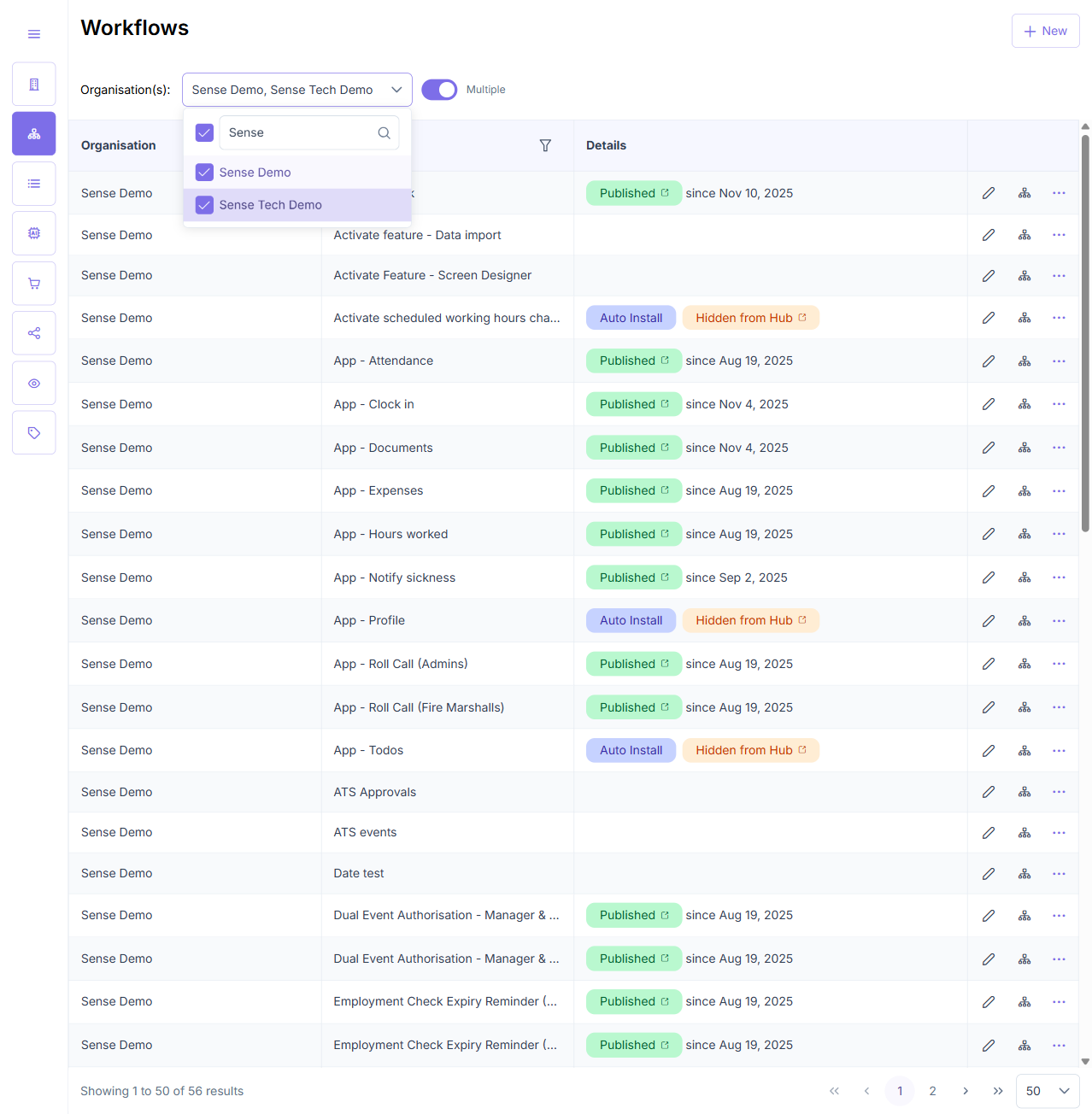
| 3 | Enable multiple-organisation selection | PASS | “Multiple” switch toggled [checked]; control switches to multi-select — per-option checkboxes + select-all header + trigger Select organisation(s) |
| 4 | Select a first organisation (Sense Demo) | PASS | Option [checked] [selected]; trigger label shows Sense Demo |
| 5 | Select a second org (Sense Tech Demo) without unselecting the first | PASS | Both options remain [checked]; the first is not removed — both organisations stay selected |
| 6 | Review the trigger label with two orgs selected | PASS | Trigger reads Sense Demo, Sense Tech Demo — indicates two organisations selected (see Observation 1) |
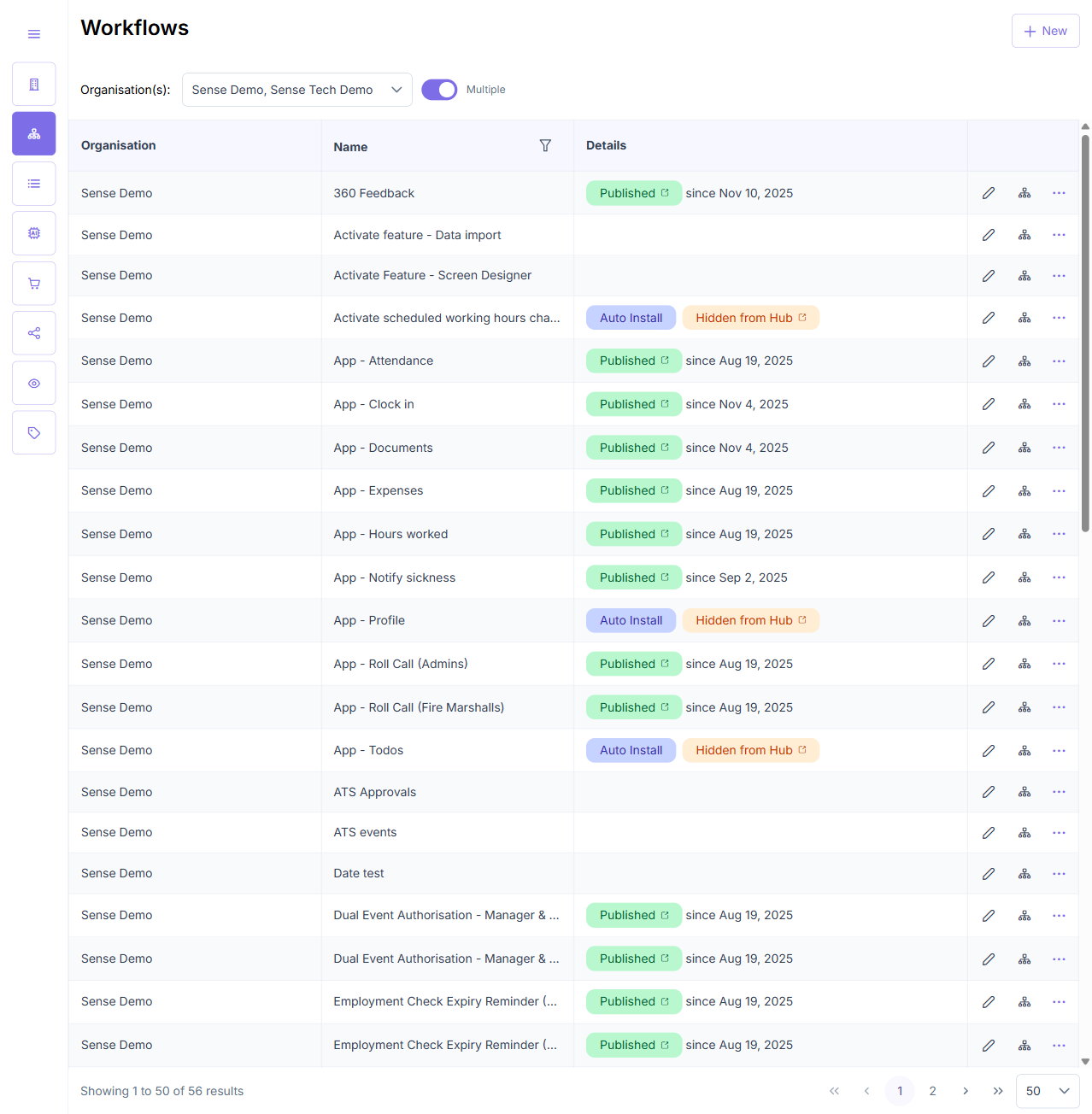
| 7 | Review the workflows table with two orgs selected | PASS | Table lists workflows from both orgs — all 3 Sense Tech Demo workflows present alongside Sense Demo's; total 56 results (53 + 3) |
| 8 | Switch the selector back to single-select mode | PASS | “Multiple” switch toggled off; control reverts to single-select combobox (retains one org, Sense Demo) |
Observations
⚠️ Low — Multi-select trigger lists org names rather than a count (TC2, step 6)
With two organisations selected the trigger displays the comma-separated names Sense Demo, Sense Tech Demo rather than the historical “N items selected” count. This still satisfies the expected result (“the trigger label indicates that two organisations are selected”) and is arguably clearer for a few selections, but with many organisations selected the names may overflow the trigger. Flagged as a design note, not a defect — consider falling back to a count past a threshold.
⚠️ Low — Last-page pagination label inconsistent (TC2, step 7)
On the last-page view (/workflows?last=50) with both orgs selected, the footer read Showing 51 to 56 of 56 results while ~50 rows rendered — a cursor-pagination / last=50 labelling quirk. It does not affect filtering correctness (the combined 56-result set from both orgs is correct) and appears unrelated to the ENG-5084 selector change (likely pre-existing).
Regression Findings
- Console errors: 0 errors and 0 warnings across both test cases.
- Network failures: No 4xx/5xx on
admin.automate.dev.sense.engineering. All app GraphQL calls (listOrganisations,listWorkflows) returned 200. The only non-200 entries were the environment’s pre-login HTTP401Basic-Auth gate and Microsoft Entra login telemetry beacons (events.data.microsoft.com,ERR_ABORTED) — both external to the app. - Visual anomalies: None — no unexpected dialogs or error states.
Screenshot Gallery
Recommendation
The ENG-5084 acceptance criteria are met on dev: the Organisations field defaults to single-select, a new selection replaces the previous one with no manual unselect, and the “Multiple” toggle restores full multi-select with both organisations’ workflows listed. The story can proceed. Optionally, address the two Low observations — trigger-label overflow for many selections, and the last-page pagination label.