✅ Verdict — PASS
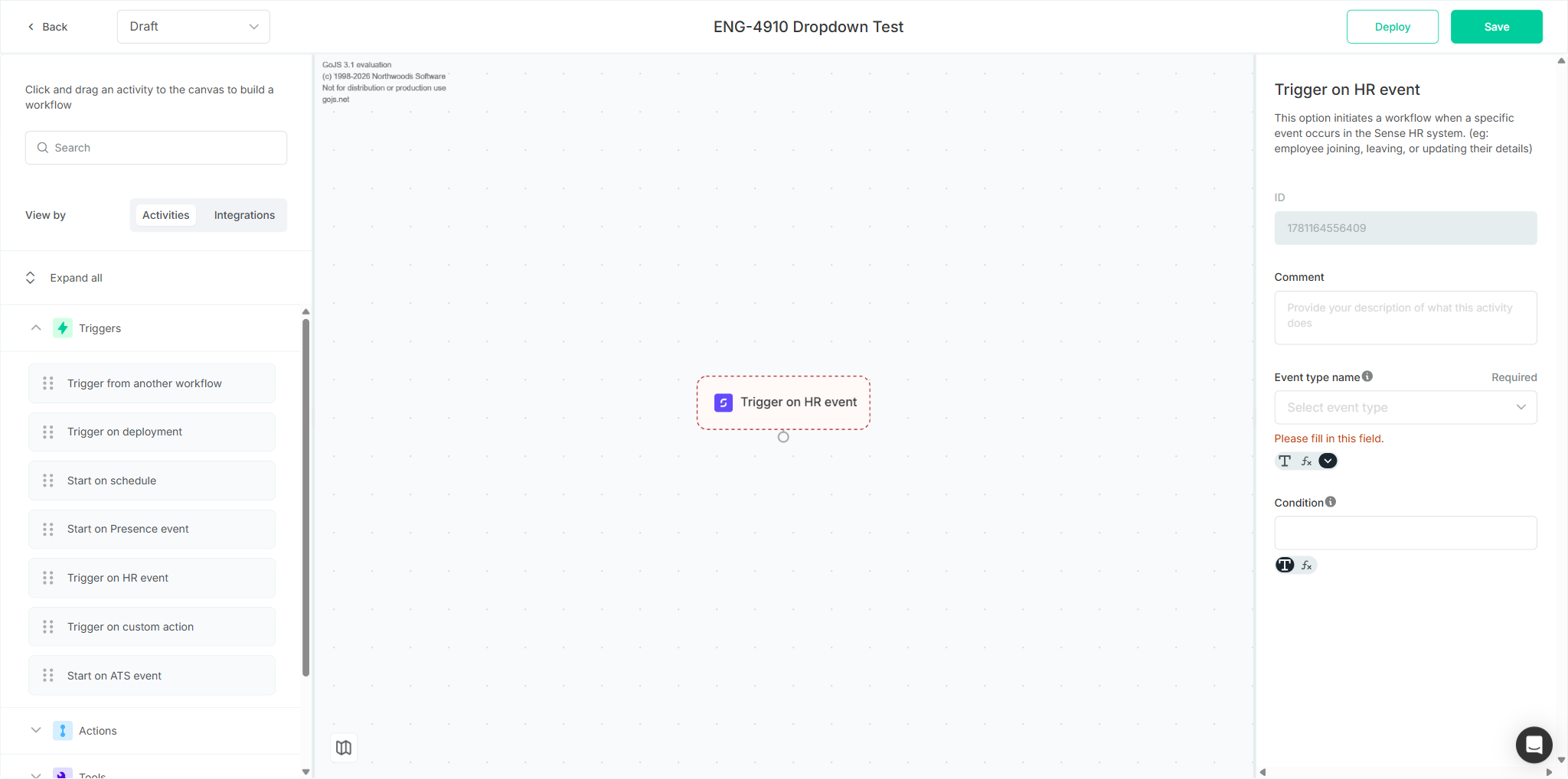
The free-text “Event type name” input on the Trigger on HR event activity has been replaced with a searchable dropdown listing the supported HR events by their user-friendly names. Both test cases passed in full — TC1 (dropdown & selection) and TC2 (search functionality). One Low-severity behavioural observation was recorded (search term not reset when the dropdown is reopened); it does not block the ticket's acceptance criteria.
Tested on dev, where the dropdown change is already present, even though the Jira ticket is still in Code Review.
Scope & Setup
Ticket: ENG-4910 — [ACTIVITY] Trigger/Wait on HR event. Requirement: replace the free-text event-name input with a dropdown of all supported HR event names, with search.
Both test cases ran in one authenticated session against the QA organisation. For each, a throwaway workflow was created via Installations → Create new (landing in the Workflow Builder at /draft/:id/builder); the Trigger on HR event activity was dragged from the Triggers group onto the canvas, and selecting the node opened its properties panel.
TC1 — Verify Event Type Name Dropdown and Selection
Overall: PASS — 13 pass / 0 fail / 0 blocked
| # | Action | Verdict | Evidence |
|---|---|---|---|
| 1 | Login to the application | PASS | Authenticated during setup; landed on /discover (QA org) |
| 2 | Open a workflow in the Workflow Builder | PASS | New workflow; URL /draft/…/builder, Activity library + canvas rendered |
| 3 | Expand the “Triggers” group | PASS | Triggers [expanded]; lists Trigger on HR event among 7 activities |
| 4 | Drag “Trigger on HR event” onto the canvas | PASS | Node rendered on canvas; properties panel auto-opened |
| 5 | Click the “Trigger on HR event” node | PASS | Panel shows ID, Comment, Event type name, Condition |
| 6 | Locate the “Event type name” field | PASS | Renders as a dropdown control (combobox “Select event type”), not a free-text input |
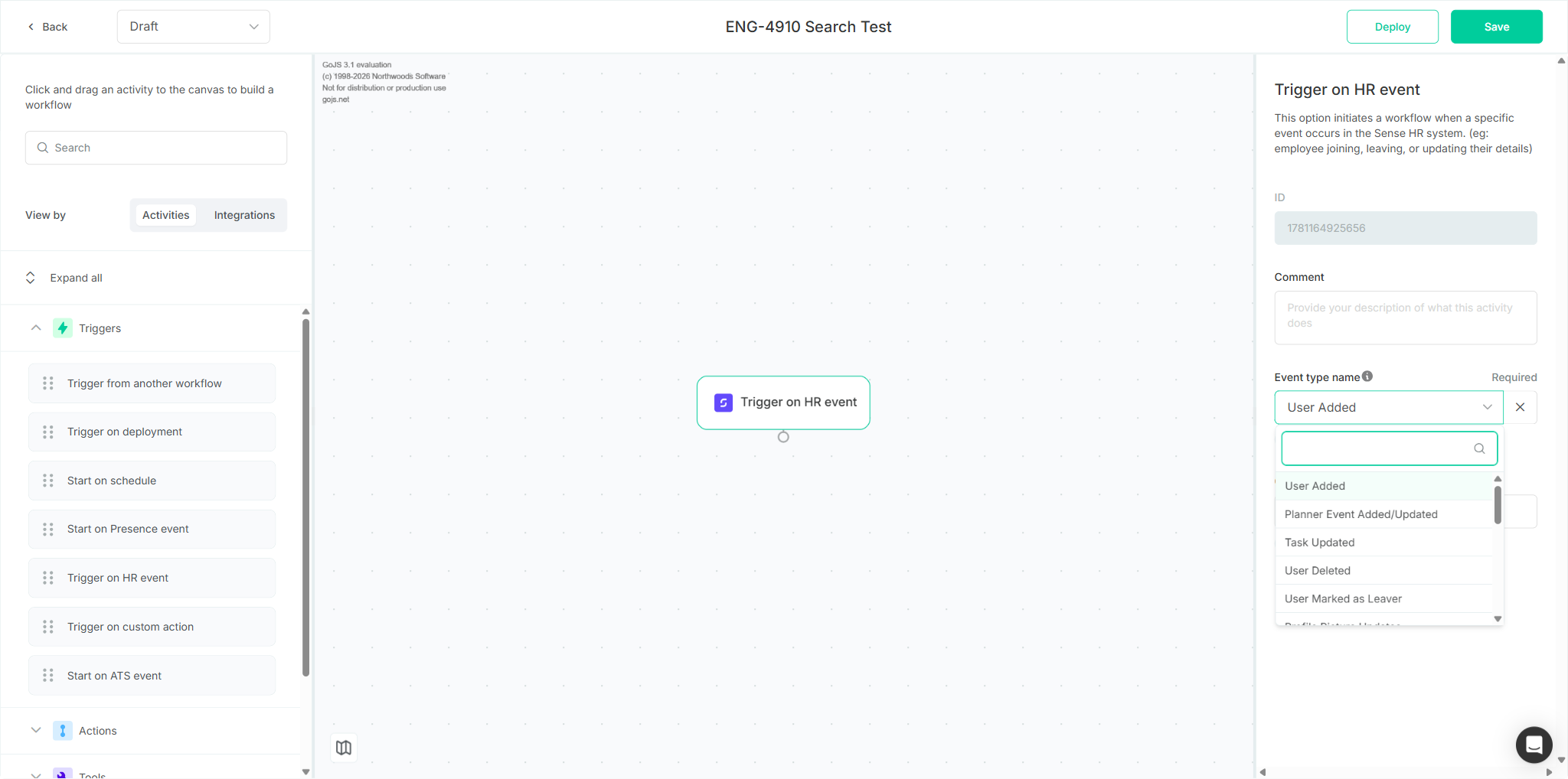
| 7 | Click the “Event type name” dropdown | PASS | Dropdown [expanded]; 18 HR events with user-friendly names; embedded search box |
| 8 | Verify “User Added” is listed | PASS | option “User Added” present |
| 9 | Verify “User Marked as Leaver” is listed | PASS | option “User Marked as Leaver” present |
| 10 | Verify “Expense Submitted” is listed | PASS | option “Expense Submitted” present |
| 11 | Select “User Added” | PASS | Field updates to User Added; required-field validation cleared |
| 12 | Click the dropdown again | PASS | Re-expands; “User Added” marked [selected] |
| 13 | Select “Profile Updated (Via Profile)” | PASS | Field updates to Profile Updated (Via Profile) |
Full event list observed (18): User Added, Planner Event Added/Updated, Task Updated, User Deleted, User Marked as Leaver, Profile Picture Updates, Personal Document Added, Company Document Added, Profile Updated (Via Profile), Profile Updated (Via Todo), Planner Event Deleted, Sickness Notification Added, Leaver Status Undone, Locked Day Updated, Personal Document Signed, Expense Submitted, Attendance Updated, To Do Updated — matching the ENG-4910 requirements table.
TC2 — Verify Event Type Name Dropdown Search Functionality
Overall: PASS — 13 pass / 0 fail / 0 blocked
| # | Action | Verdict | Evidence |
|---|---|---|---|
| 1–5 | Login → open builder → expand Triggers → drag node → click node | PASS | Same setup flow as TC1, on a fresh “ENG-4910 Search Test” workflow |
| 6 | Click the “Event type name” dropdown | PASS | Dropdown [expanded]; HR events listed with search box |
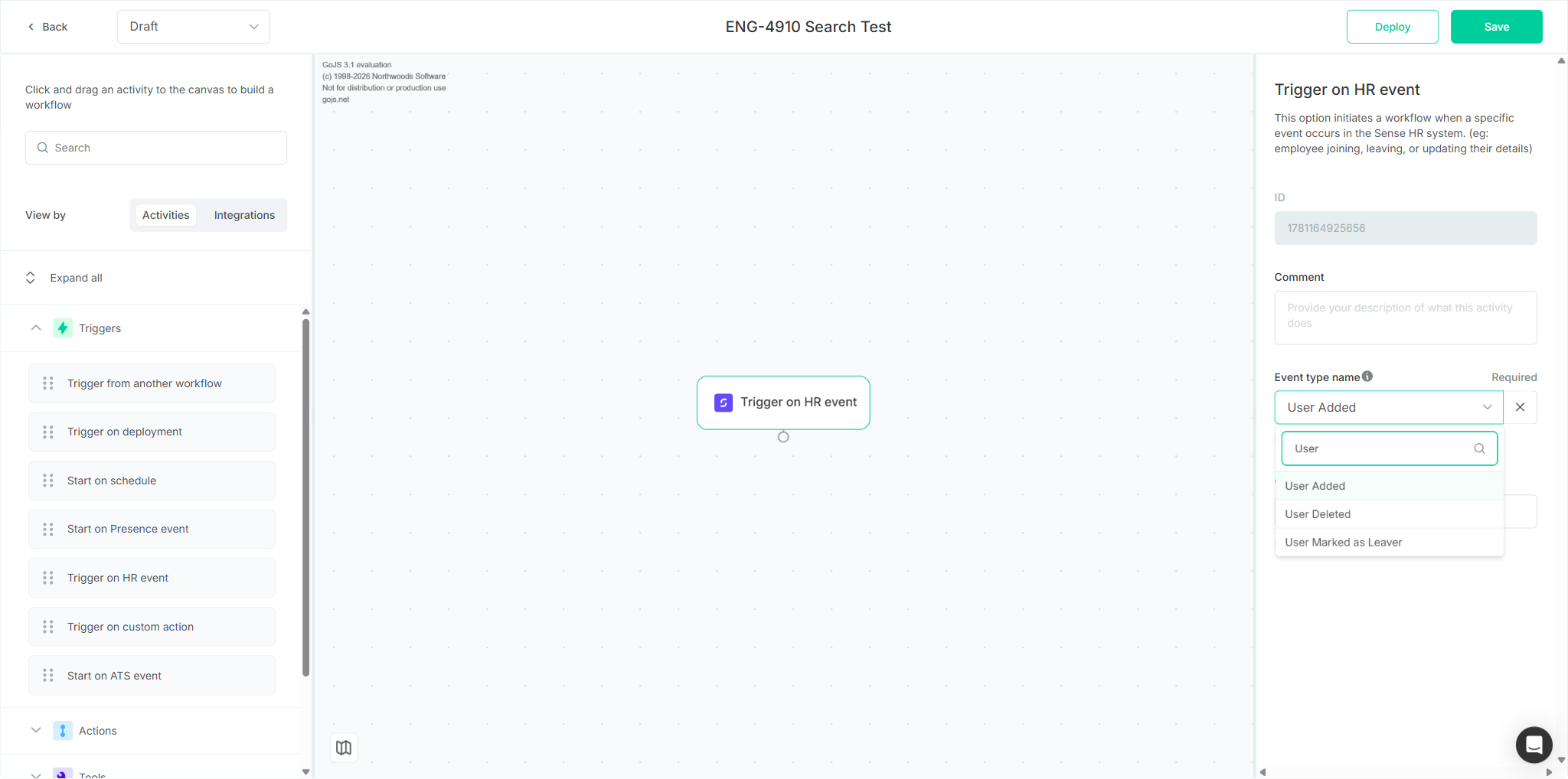
| 7 | Type “User” in the search field | PASS | List filtered to User Added, User Deleted, User Marked as Leaver |
| 8 | Verify “User Added” appears in filtered results | PASS | Visible in the filtered list |
| 9 | Verify “Task Updated” is NOT in filtered results | PASS | Only the 3 “User” events present; Task Updated absent |
| 10 | Select “User Added” from filtered results | PASS | Field updates to User Added |
| 11 | Click the dropdown again | PASS* | Re-expands showing HR events — see observation (prior search term retained) |
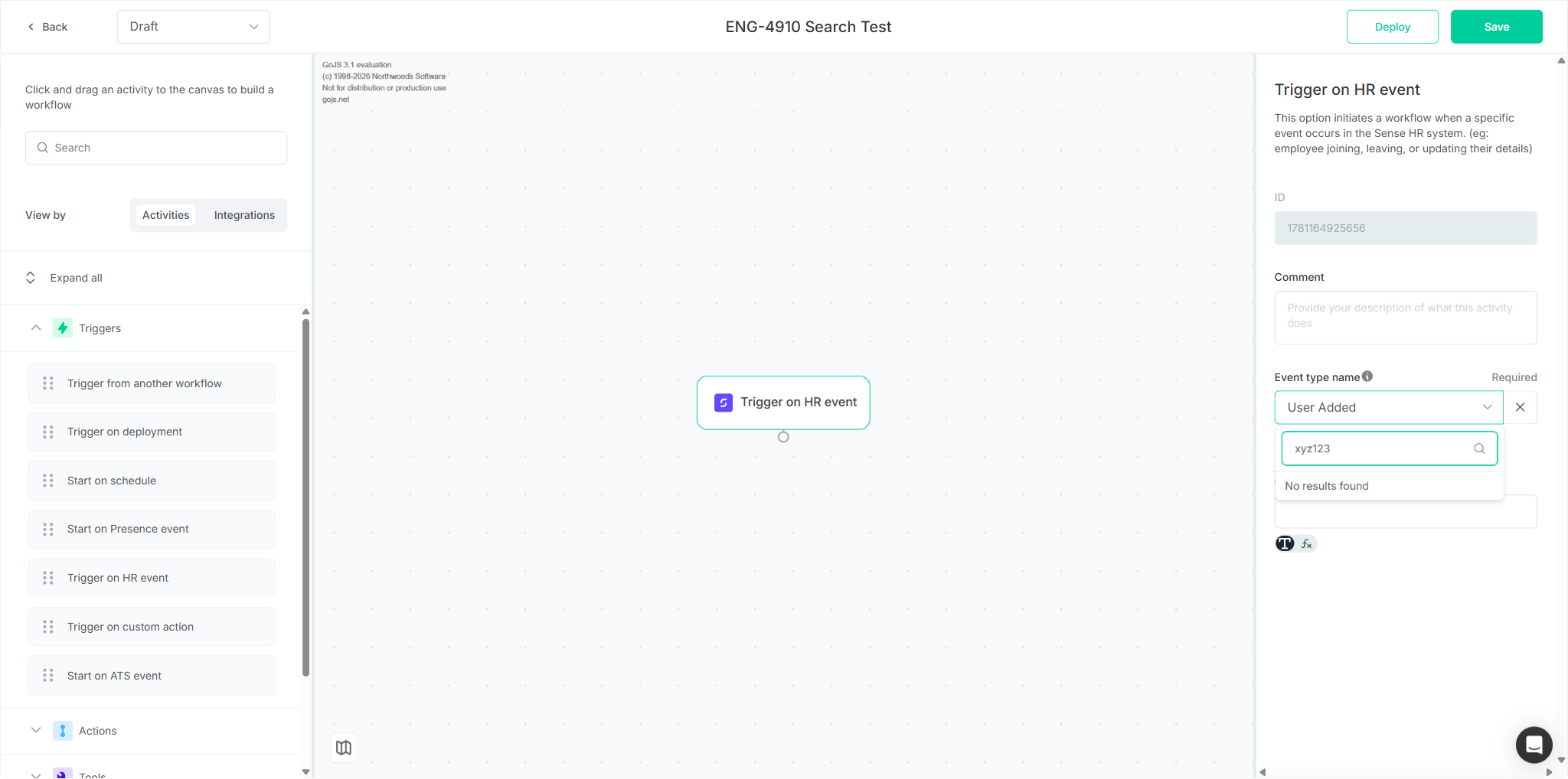
| 12 | Type “xyz123” (matches no events) | PASS | No event options — “No results found” shown |
| 13 | Clear the search field | PASS | All 18 supported HR events displayed again |
Observation
⚠️ Low — Dropdown search filter not reset on reopen (TC2, step 11)
When the “Event type name” dropdown is reopened, the previous search term (“User”) is retained in the search field, so the reopened list is pre-filtered to the 3 matching events rather than showing the full list. The literal expected result (“dropdown expands displaying the list of HR events”) is still met, and typing a new term or clearing the field works correctly. Flagged as a minor UX inconsistency, not a functional failure. Optional fix: reset the filter when the dropdown is closed.
Regression Findings
- Console errors: 0 errors across both test cases. 1 warning (
intercomSettings.user_id is set to undefined) — pre-existing, from the third-party Intercom widget, unrelated to ENG-4910. - Network failures: No 4xx/5xx on
automate.dev.sense.engineering. All app GraphQL calls (createWorkflow,loadDraftDefinition, etc.) returned 200. The only failed requests were third-party Intercom telemetry (api-iam.eu.intercom.io). - Visual anomalies: None — no unexpected dialogs or error states.
Screenshot Gallery
Recommendation
The ENG-4910 acceptance criteria (replace the free-text input with a searchable dropdown of supported HR events) are met on dev. The ticket can proceed past Code Review. Optionally, reset the dropdown's search filter on close/reopen so the full event list is presented by default (see Observation).