🚨 Verdict — Bug NOT fixed, return to dev
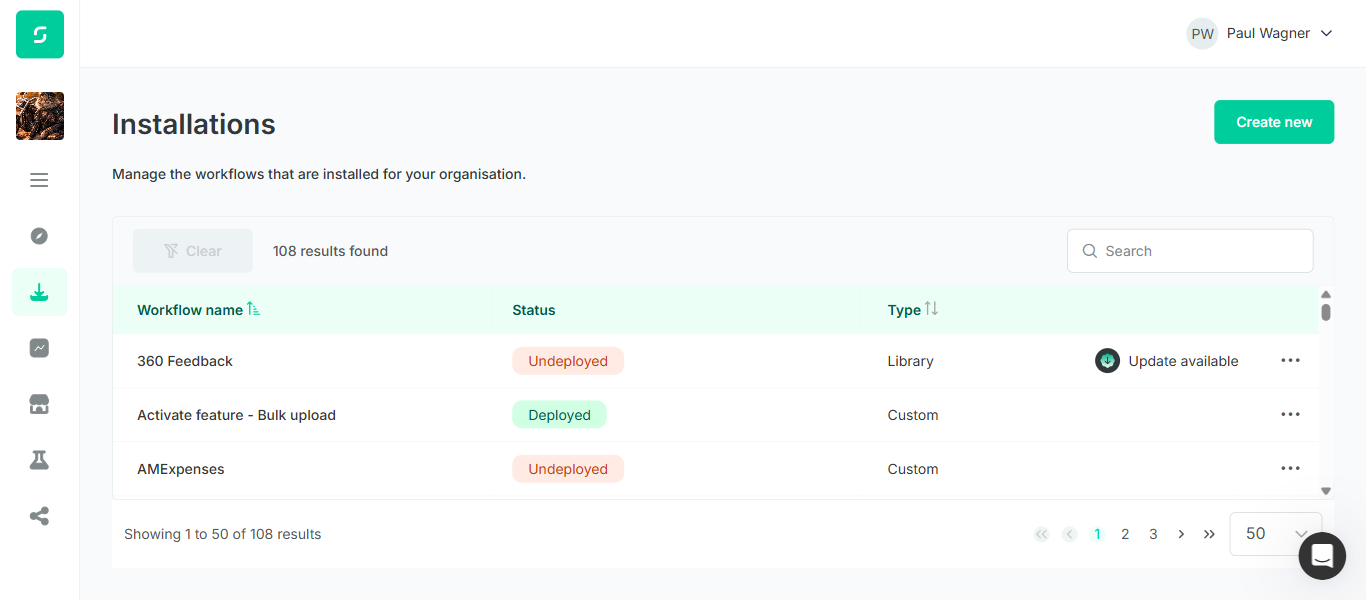
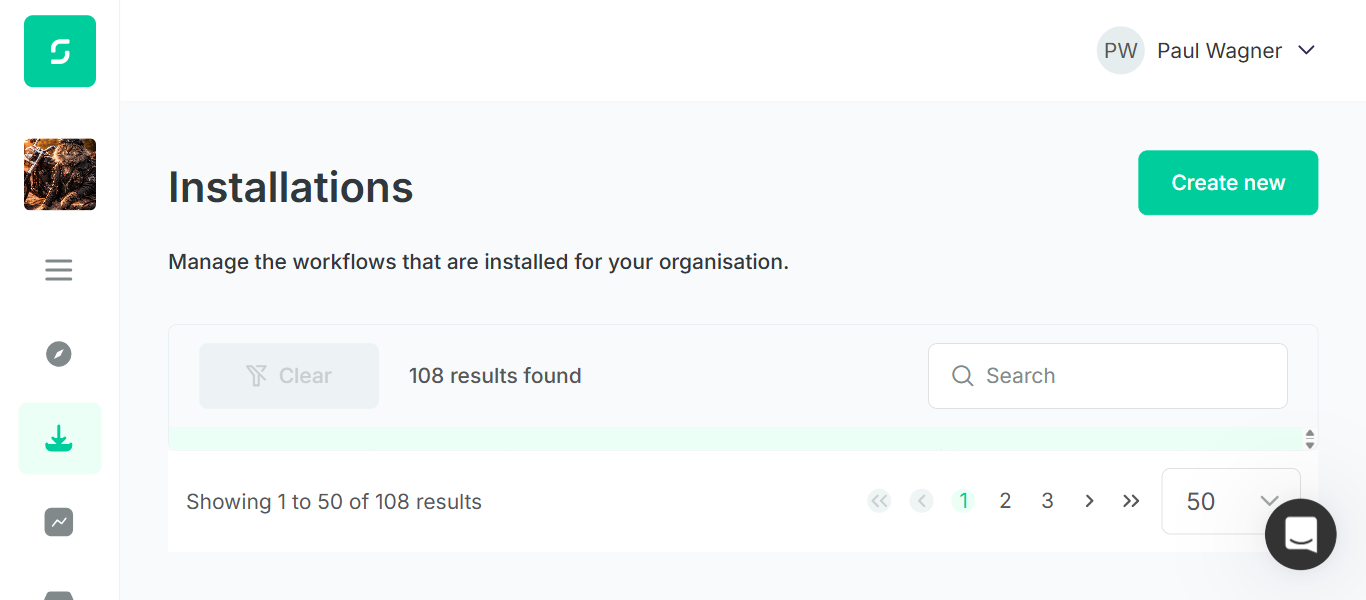
The Installations page (/installations) does not provide a page-level scrollbar at small viewport heights. Instead, the PrimeNG datatable container (div.p-datatable-table-container) absorbs the height constraint and compresses to a fixed area with internal scrolling. At common zoom levels (100%, 125%, 150%) on a small viewport, the table content is either heavily compressed (1–3 rows) or completely hidden (just a header strip). The only way to see meaningful table content is to zoom the browser out — matching the workaround documented in the ticket.
Scope & Source of Truth
Ticket: ENG-5352 — [User App - Installations] Main page scrollbar intermittently disabled and cannot scroll to table content
Reporter: Abbi Melville — Status entering QA: QA Review — Sprint: Cloud Sprint 45
Source of truth: The bug's Expected Result section: "The page scrollbar remains functional at all supported zoom levels. Users can scroll normally to reach the table. Zooming in or out does not disable or hide the page scrollbar."
Method: Live verification against https://automate.dev.sense.engineering/installations after the developer marked the ticket QA Review. Resize the viewport / change zoom; inspect document.documentElement.scrollHeight vs clientHeight via JS evaluation, plus visual screenshots.
Test Matrix — Viewport / Zoom Combinations
| # | Viewport | Zoom | Page scrollable? | Table rows visible | Verdict | Evidence |
|---|---|---|---|---|---|---|
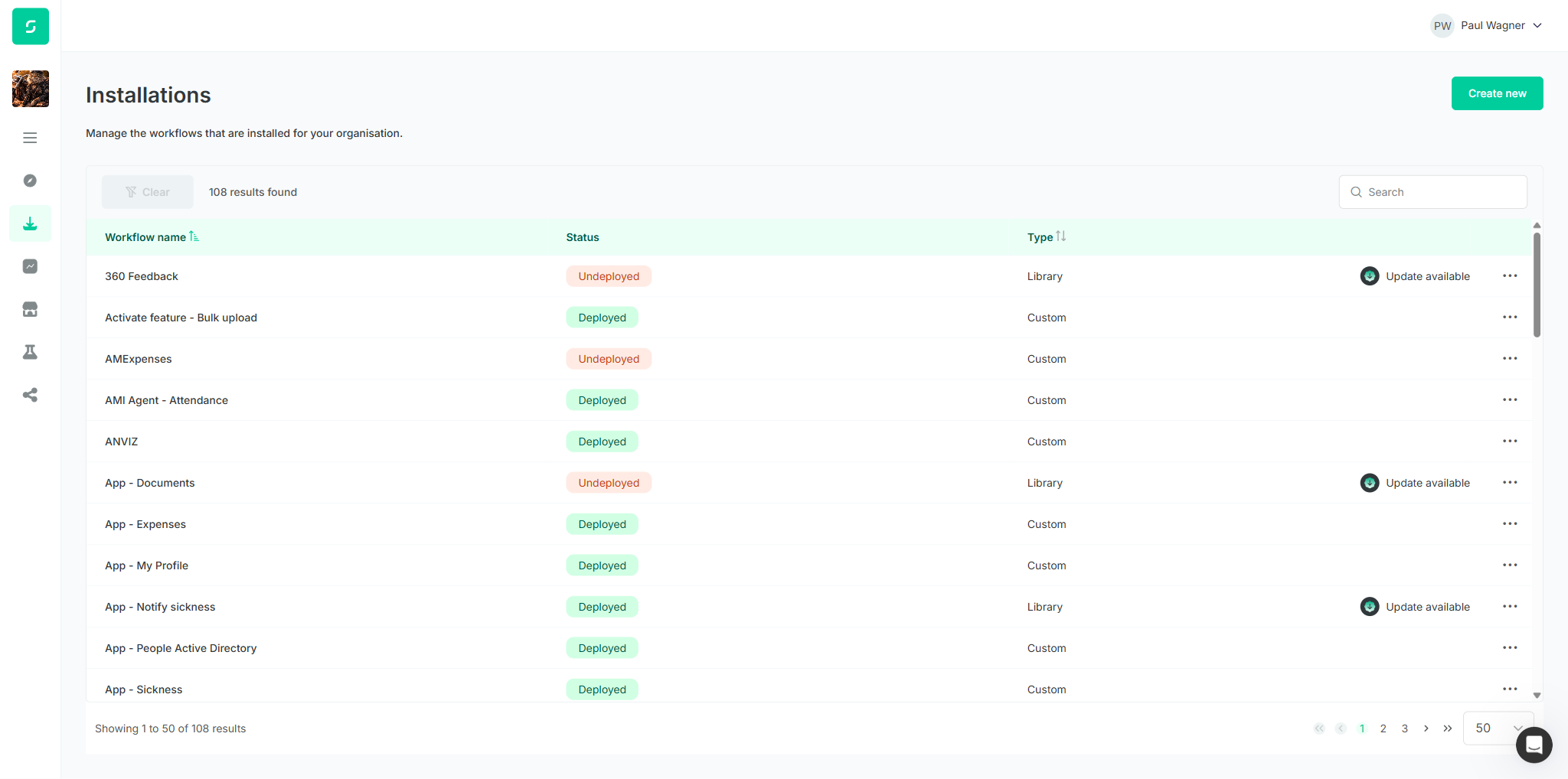
| 1 | 2048 × 1018 | 100% | No (fits) | ~12 rows | n/a | Default desktop — bug condition not present, included as baseline |
| 2 | 1366 × 600 | 100% | No (does not overflow) | 3 rows + internal scroll | FAIL | html.scrollHeight=600 === clientHeight=600. Page-level scrollbar absent. Internal table scrollbar only |
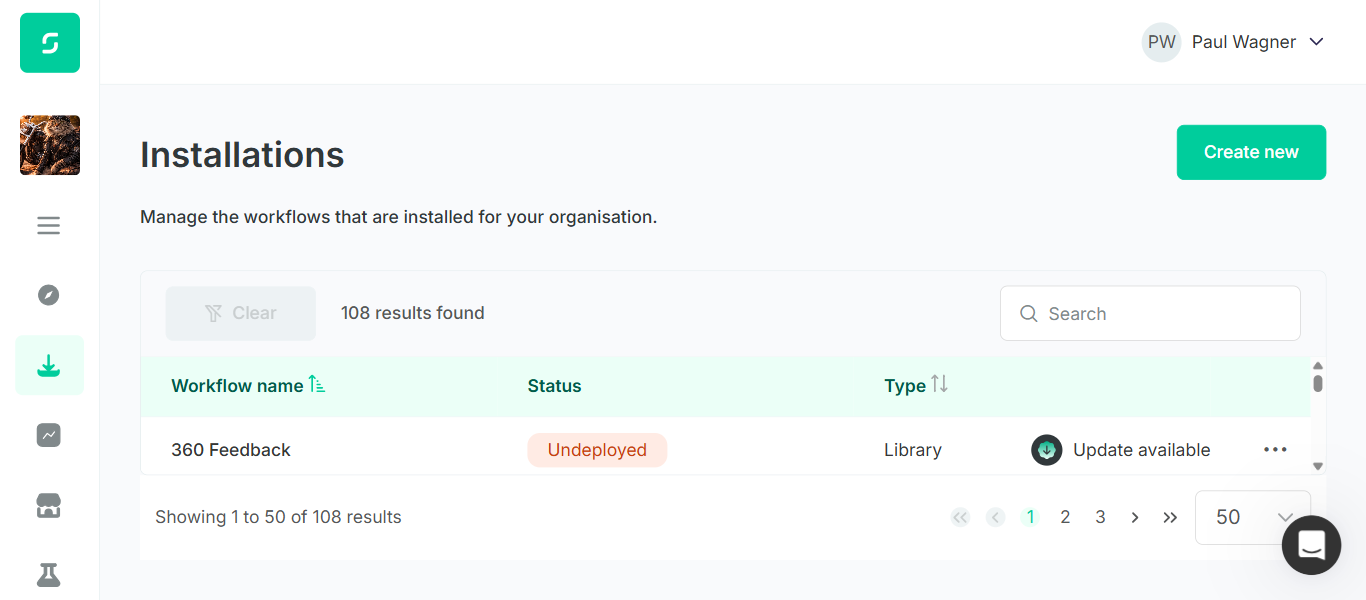
| 3 | 1366 × 600 | 125% | No | 1 row | FAIL | Table compressed further; page still does not scroll |
| 4 | 1366 × 600 | 150% | No | 0 rows (thin strip only) | FAIL | Table content area collapsed to a few pixels; no rows visible, no page scrollbar |
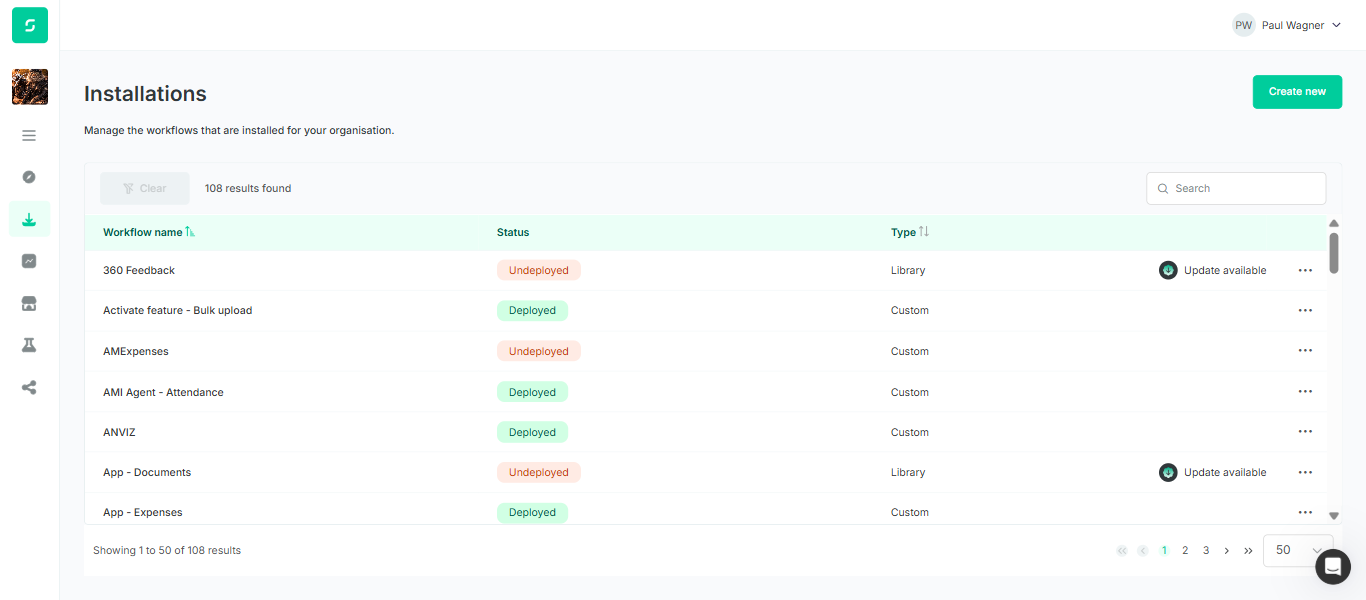
| 5 | 1366 × 600 | 75% | No | ~7 rows | n/a | Workaround confirmed — zoom-out makes table accessible (matches ticket workaround) |
| 6 | 1280 × 400 | 100% | No (does not overflow) | 0 rows (thin strip only) | FAIL | Extreme small height: heading, search, and pagination visible; table essentially invisible |
Method note: Zoom was applied via document.body.style.zoom in the live browser to reliably simulate browser zoom in a headed Playwright session (Ctrl+= keyboard zoom does not propagate through Playwright's input layer). Effect on layout is equivalent to native Chrome zoom.
Root Cause Indicators (observational)
What the DOM measurements say
- The single scrollable container on the page is
div.p-datatable-table-container(PrimeNG datatable wrapper), which reportsscrollHeight ≈ 2748against a clampedclientHeight ≈ 214at 1366×600. document.documentElementanddocument.bodyboth reportscrollHeight === clientHeightat every tested small viewport — the document never overflows the viewport.- Computed
overflow-yon html and body isvisible— nothing is forcibly hiding scroll; the layout simply never needs to scroll because some ancestor of the table is height-clamped (likely aheight:100%/100vhflex chain).
Implication: The page layout uses a fixed-height container that hands all leftover vertical space to the table, instead of letting the page overflow and scroll. This is exactly the behaviour the ticket describes — users cannot reach the table by scrolling the page because the page never scrolls.
Reproduction Steps
- Open Chrome and log in to the User App (Automate).
- Navigate to Installations via the sidebar (3rd icon from top).
- Resize the browser so the viewport height is ≤ 600 px (e.g., 1366×600), or use a small laptop / external monitor with a short viewport.
- Observe the Installations page.
| Expected | Actual |
|---|---|
|
|
Regression Findings
Console & network
- Console errors: 0 errors during the run. 1 warning (
intercomSettings.user_id is set to undefined) — pre-existing on the Sense apps, unrelated to ENG-5352. - Network failures: No 4xx / 5xx responses on
automate.dev.sense.engineeringduring the verification window.
No regressions surfaced — this bug is purely a CSS / layout issue, not a data or API issue.
Screenshot Gallery
Click any image to expand. 6 screenshots: baseline desktop, small-viewport reproductions, and a zoom-out workaround confirmation.
Baseline (bug condition not present)
Bug reproduction — small viewport, 100% zoom
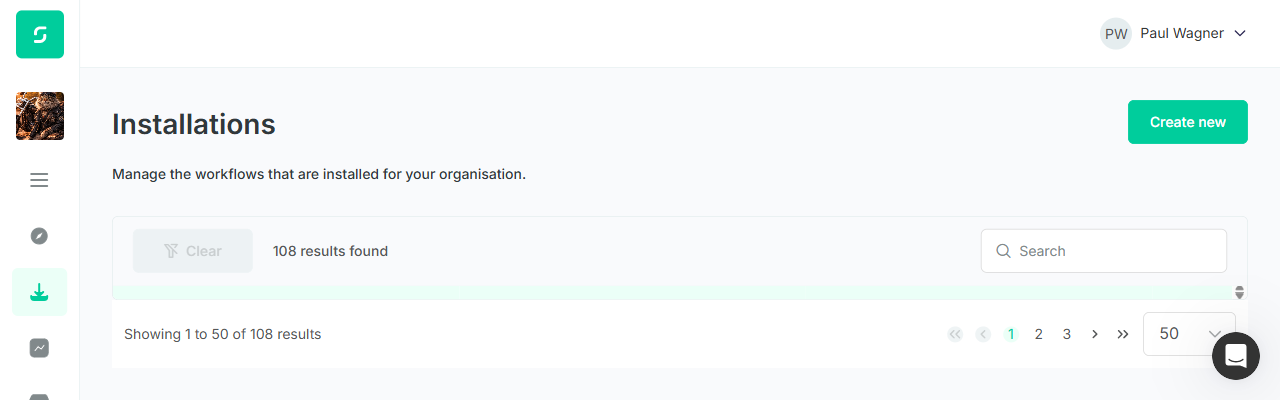
Bug reproduction — zoom changes (1366×600 viewport)
Workaround — zoom out to ~75%
Recommendation
Return ticket to development. The layout should allow the page to overflow vertically when the content (heading + filter bar + table + pagination) exceeds the viewport height, so the browser provides a normal page scrollbar.
Concrete options the dev can consider:
- Remove the height clamp on the table's ancestor chain so the document overflows naturally and the page-level scrollbar appears.
- If keeping the height clamp is intentional for desktop, gate it behind a min-height media query so it only applies when the viewport is tall enough to host a useful internal table area (e.g., ≥ 800px).
- Either approach should be regression-checked at 1280×400, 1366×600, and 1920×1080, and at zoom 75 / 100 / 125 / 150%.