Overall Summary
| Story | Test Case | Description | Result |
|---|---|---|---|
| ENG-5247 | TC1 | Field Type selector (Text / Select / Multi-Select) — creation and persistence | PASS |
| ENG-5247 | TC2 | Predefined options editor for Select/Multi-Select fields | PASS (2 bugs) |
| ENG-5247 | TC3 | Backward compatibility — legacy params without field_type show as Text | PASS |
| ENG-5247 | TC4 | Repeatable free text field type | BLOCKED |
| ENG-5261 | TC1 | User app renders Select / Multi-Select params as dropdowns | PASS |
| ENG-5261 | TC2 | User app — Select field selection and persistence | PASS |
| ENG-5261 | TC3 | User app backward compat — legacy params render as free text | PASS |
| ENG-5261 | TC4 | User app renders Repeatable free text as multi-input with Add another | BLOCKED |
Why 2 test cases are BLOCKED
TC4 (ENG-5247 + ENG-5261): The Repeatable (list/array) field type is not present in the admin app Field Type dropdown. The dropdown currently offers only Text, Select, and Multi-Select. This is a prerequisite for both the admin TC4 (configure repeatable field) and user TC4 (render it). Both are blocked until the feature is implemented.
Bugs Found
BUG-1: Row-Level Save (Checkmark) Gives No Indication That Toolbar Save Is Still Required
Severity: Low — Design is correct; risk is silent data loss if user navigates away
Story: ENG-5247 TC2 — Admin App Configuration Schema
Steps to reproduce:
- Open Configuration schema tab for any workflow draft
- Add or edit a row (inline edit mode)
- Click the row-level checkmark Save button — row exits edit mode, no error shown
- Navigate away without clicking the toolbar Save button
- Return to the page — changes are lost
Expected: After the checkmark is clicked, the page shows a clear "unsaved changes" indicator (e.g. a dirty state badge on the toolbar Save button, or a warning on navigate-away) so the user knows a second step is required.
Actual: The row silently enters a committed-but-not-persisted state with no visual cue. A user who assumes the checkmark = saved and closes the tab will lose their changes.
Suggested fix: Mark the toolbar Save button as dirty (e.g. highlight, badge, or tooltip "Unsaved schema changes") whenever any row has been confirmed but not yet persisted to the server.
BUG-2: Select/Multi-Select Row Saves with Zero Options (No Validation)
Severity: Medium — Creates unusable configuration parameter
Story: ENG-5247 TC2 — Admin App Configuration Schema
Steps to reproduce:
- Open Configuration schema tab for any workflow draft
- Add a new row and set Field Type to Select or Multi-Select
- Do not add any options to the Options column
- Click row-level Save, then toolbar Save (
replaceDraftConfigurationSchemafires successfully) - Reload the page
Expected: A validation error prevents saving a Select-type parameter with an empty options list, since such a parameter is unusable in the user app (renders an empty dropdown).
Actual: The mutation succeeds; the row persists with Field Type = Select and Options = []. The user app would render an empty dropdown for this parameter.
ENG-5247: Admin App — Configuration Field Type Selector
Test environment: https://admin.automate.dev.sense.engineering/ — Workflow: "Configurations Workflow Test" in QA New org (workflowId: V29ya2Zsb3c6CraHxqE4AqZnTVMn49QXfrbmyMYbzcNdszSohyl2xnQ=)
TC1 — Field Type Selector
| Test Case | Result |
|---|---|
| Type dropdown is present in the Configuration schema inline Add-new-row form | PASS |
| Dropdown offers Text, Select, and Multi-Select options | PASS |
| Selecting Text: no options editor appears | PASS |
| Selecting Select: options editor appears inline | PASS |
| Selecting Multi-Select: options editor appears inline | PASS |
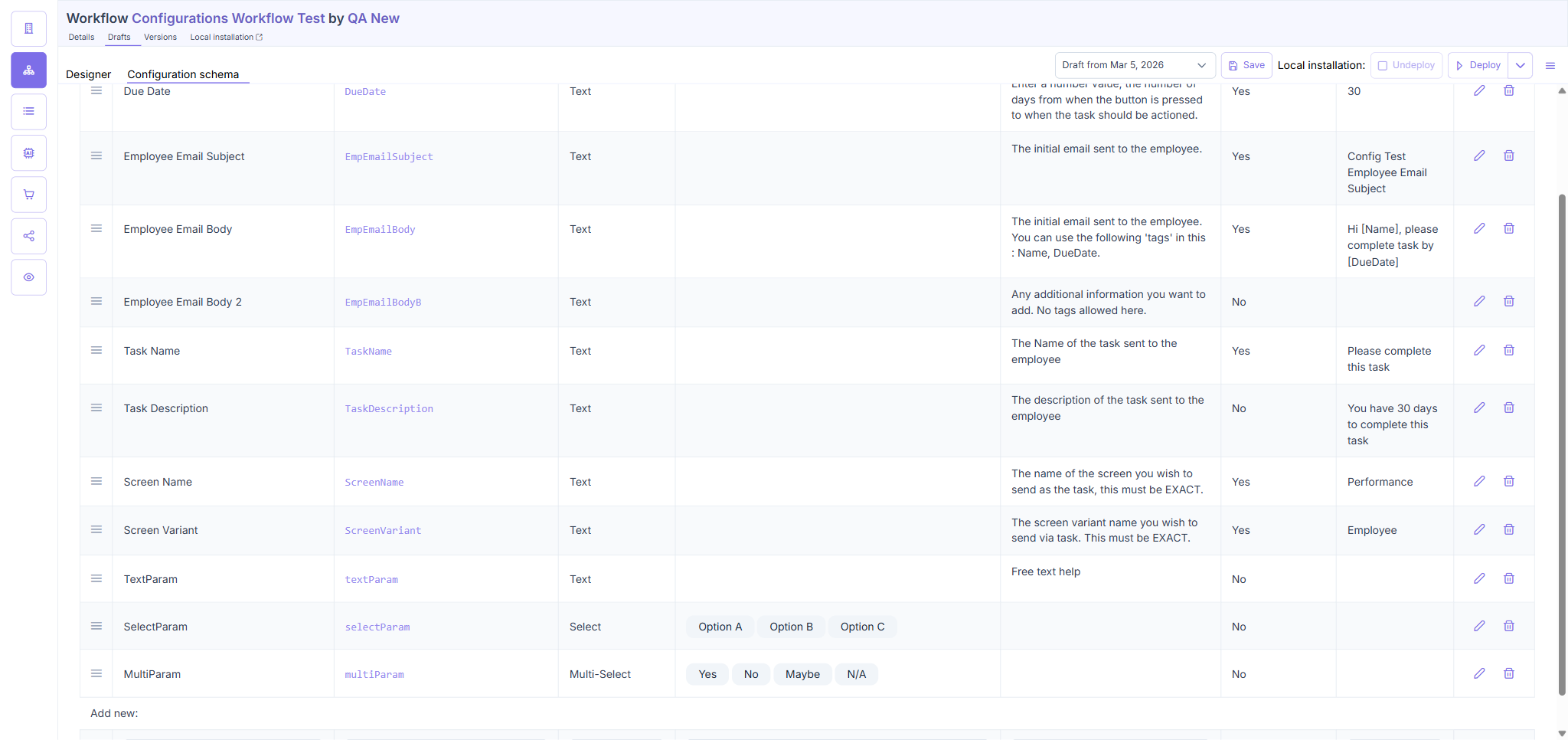
| All three field types persist after toolbar Save + page reload | PASS |
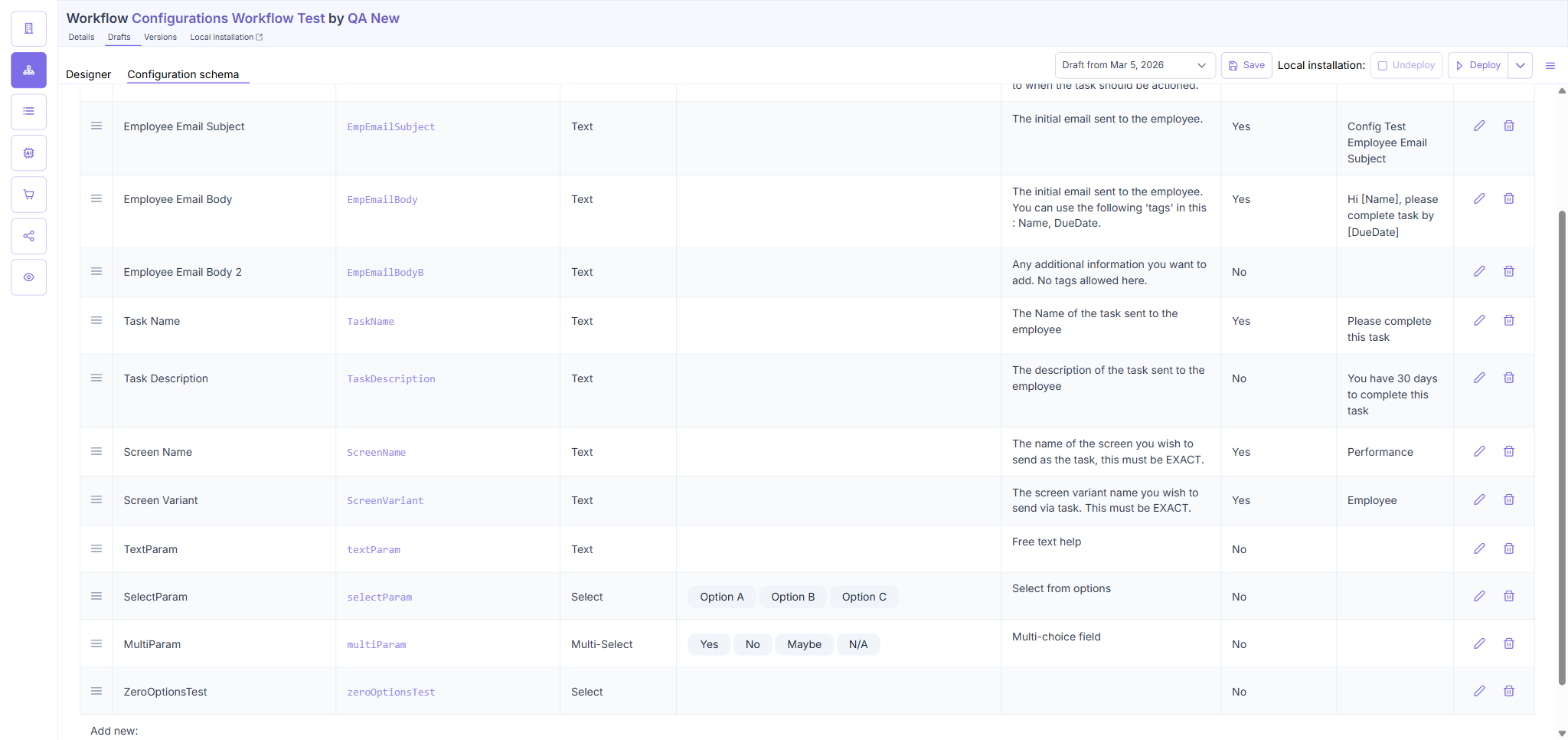
| TextParam (Text), SelectParam (Select + 2 options), MultiParam (Multi-Select + 2 options) all reload correctly | PASS |
TC1 — Details
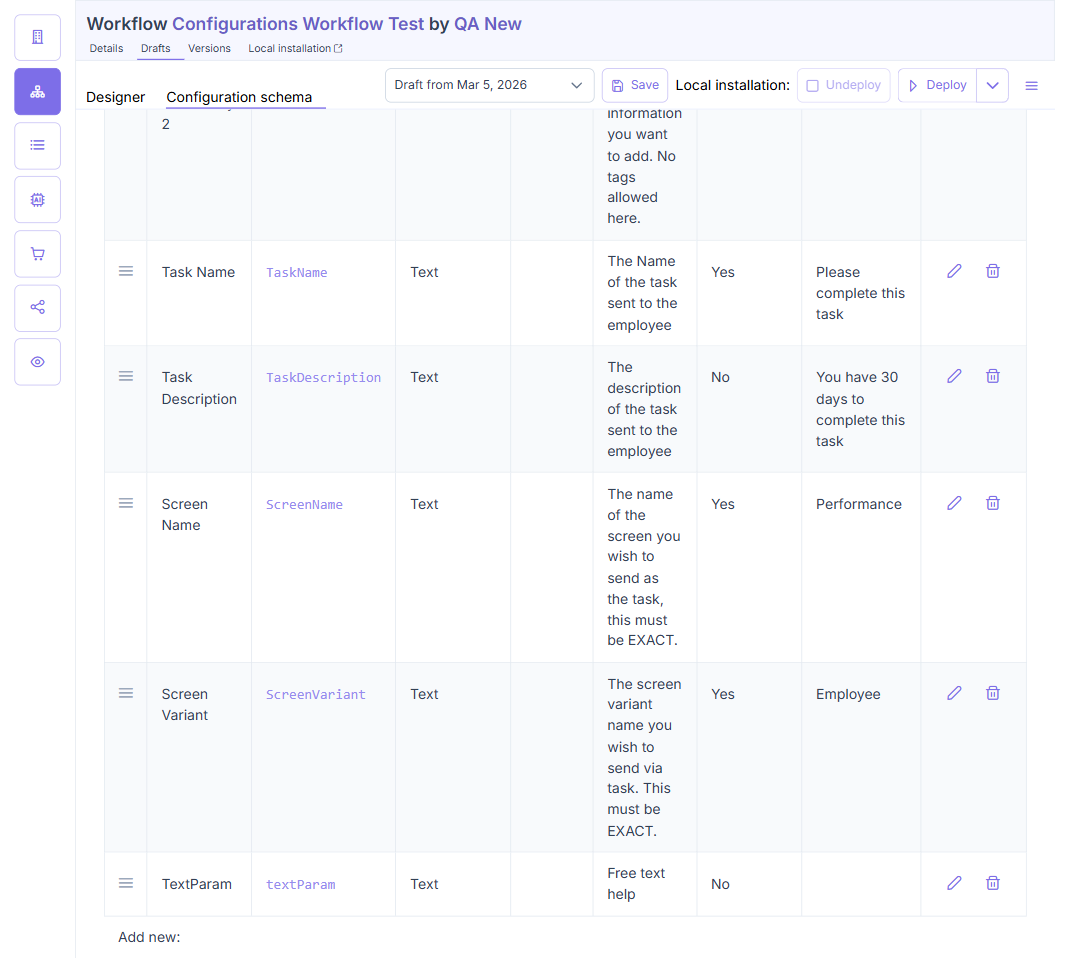
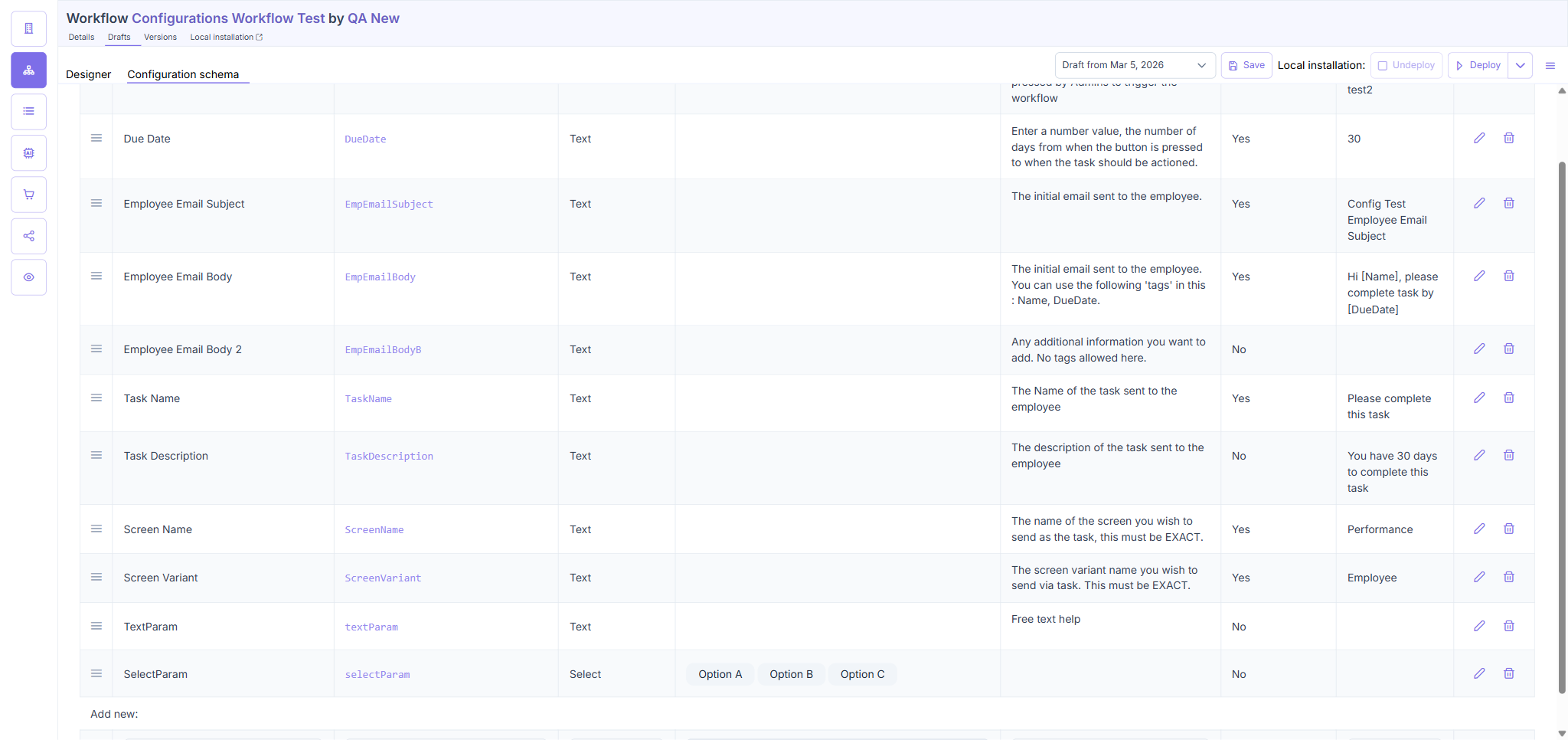
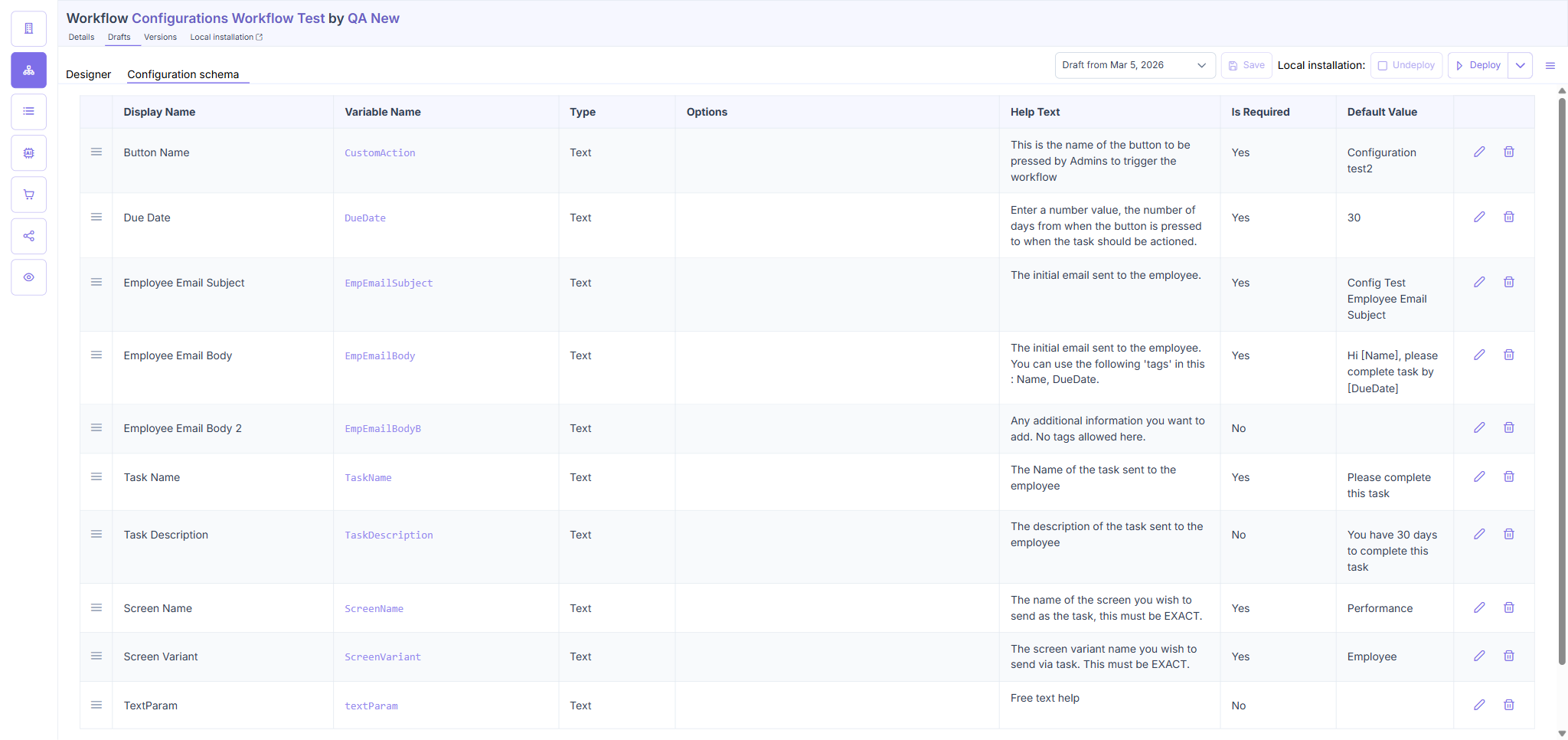
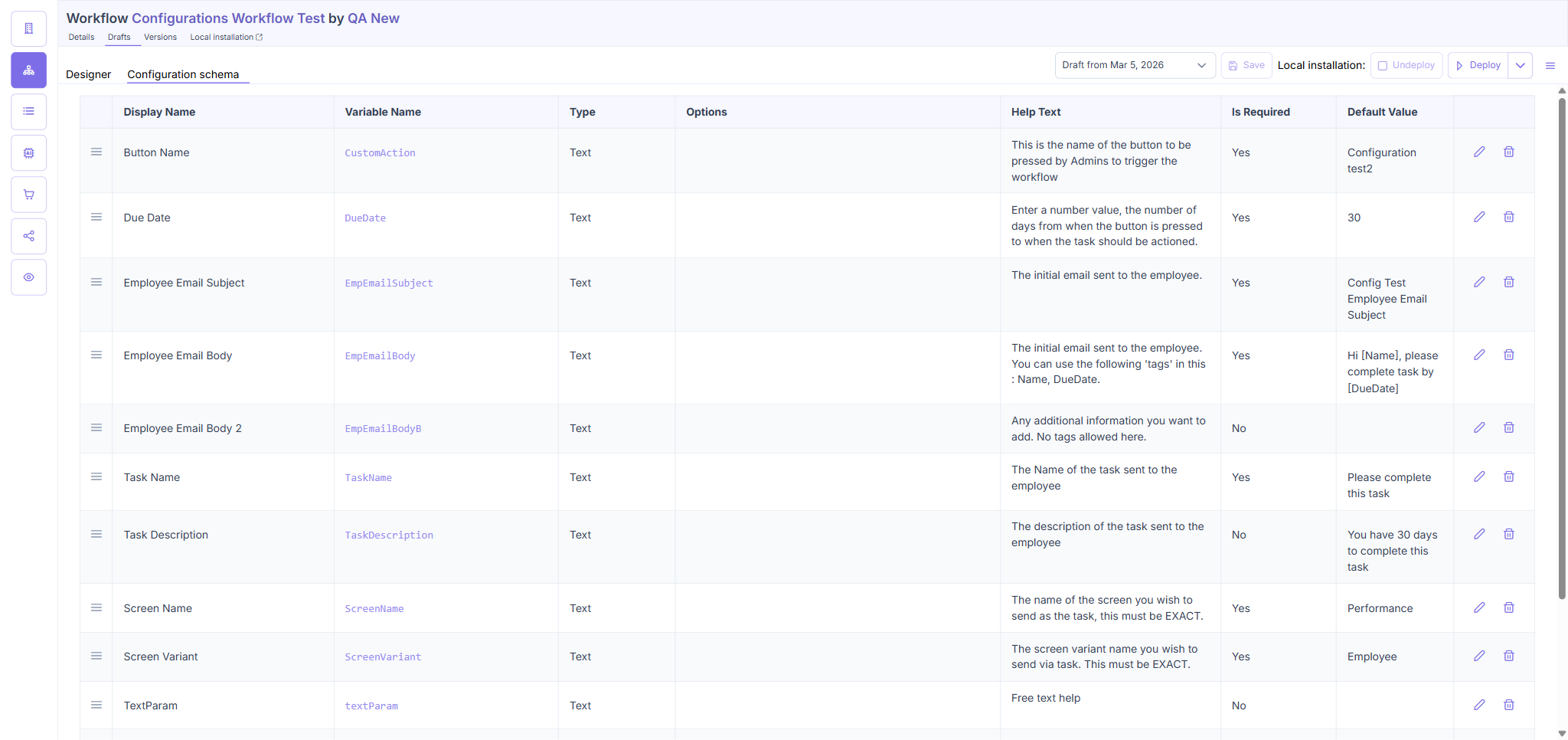
Three parameters were added: TextParam (Text type), SelectParam (Select type, options: Option A, Option B), MultiParam (Multi-Select type, options: Alpha, Beta). All three were saved via the toolbar Save button (replaceDraftConfigurationSchema GraphQL mutation). After page reload, all three rows persisted with their correct types and options.
TC2 — Predefined Options for Select Fields
| Test Case | Result |
|---|---|
| Options editor appears when Field Type is Select or Multi-Select | PASS |
| Can add multiple options inline | PASS |
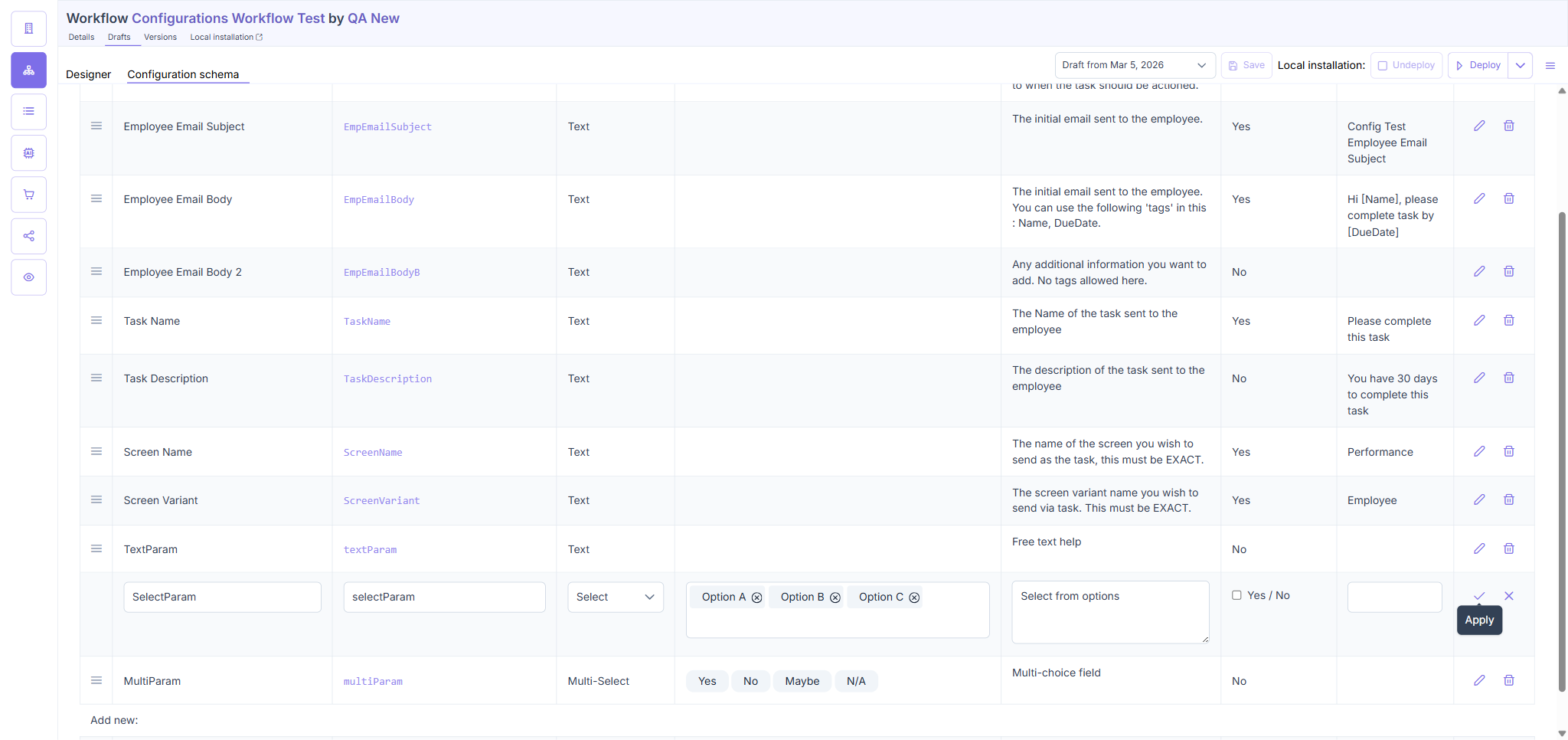
| Can remove individual options (Option B removed from SelectParam) | PASS |
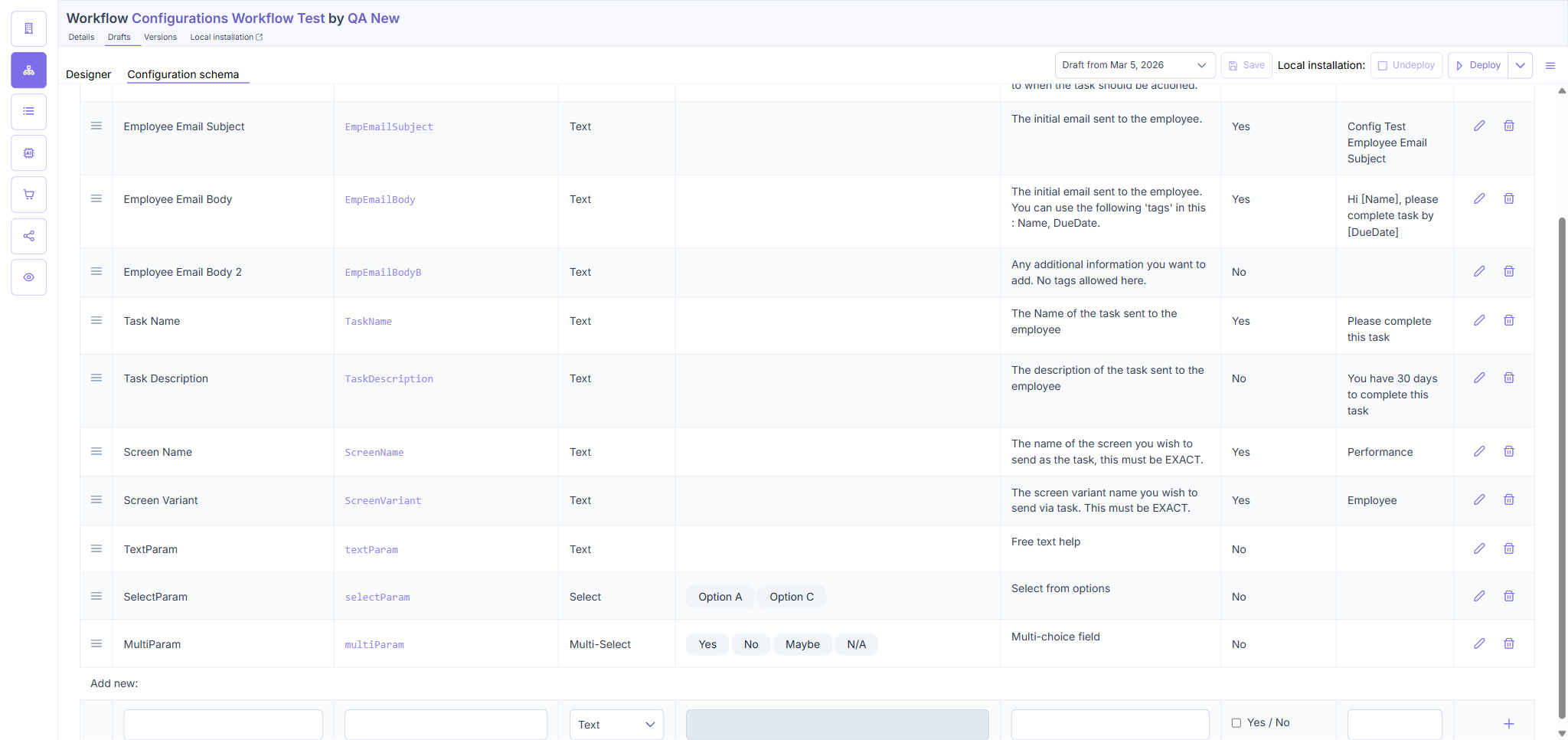
| Remaining options persist after toolbar Save + reload (Option A, Option C only) | PASS |
| Switching type from Select → Text clears the options list | PASS |
| Switching type back Text → Multi-Select shows an empty options list (stale options NOT reused) | PASS |
| BUG: Select-type row with zero options saves without validation error | BUG |
| BUG: Row checkmark gives no unsaved-changes indicator — silent data loss if user navigates away | BUG |
TC2 — Details
Options editor works correctly for add and remove operations. After removing Option B from SelectParam and saving via toolbar, reload confirms only Option A and Option C remain. Type-switch behavior is correct: switching Select → Text clears options; switching back restores an empty options list rather than reusing stale options. Two bugs found (see Bugs section): a Select/Multi-Select row with zero options saves without validation, and the row checkmark provides no unsaved-changes indicator after confirming a row.
TC3 — Backward Compatibility (Admin App)
| Test Case | Result |
|---|---|
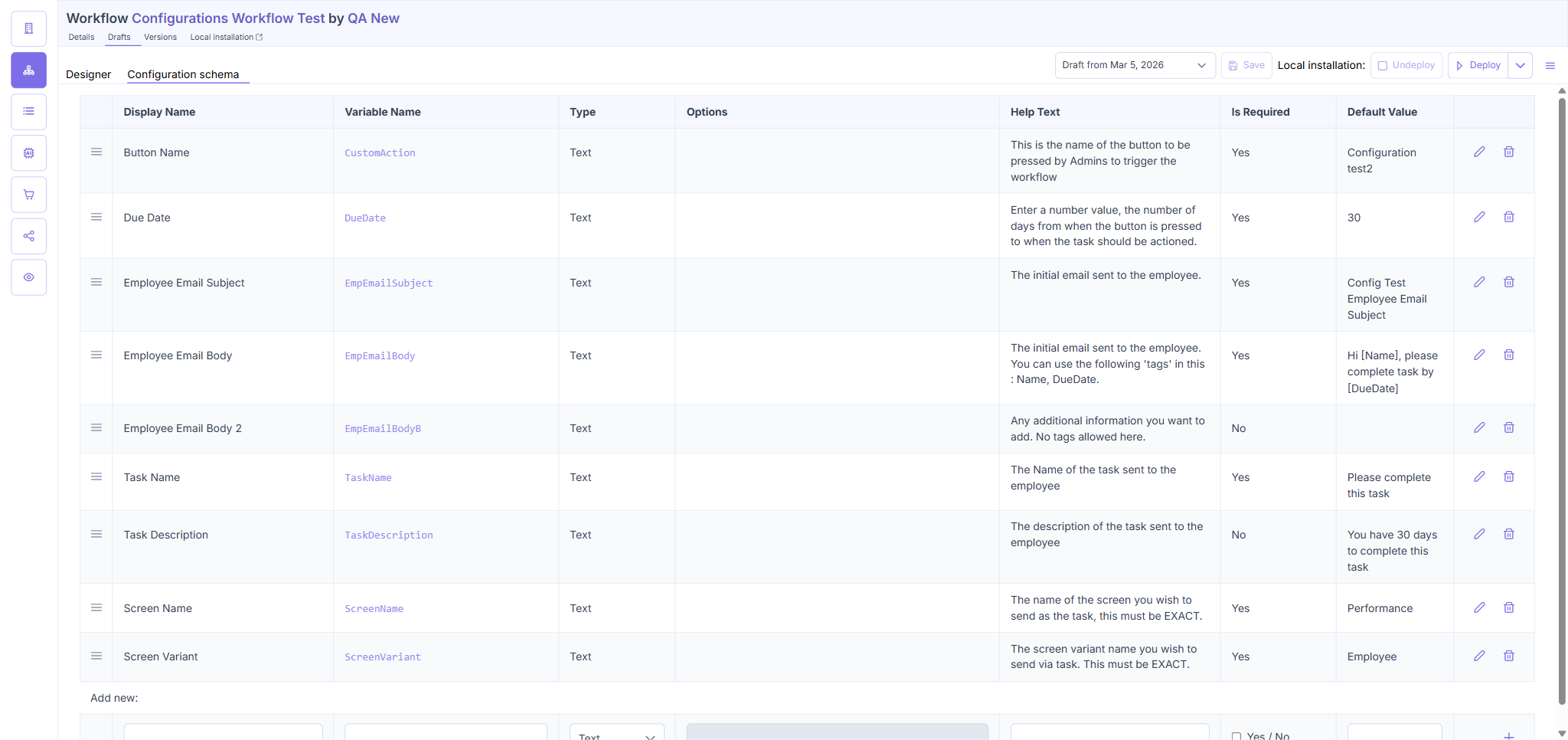
| Legacy parameters (created before ENG-5247, no field_type metadata) display with Field Type = Text in the schema table | PASS |
| Legacy params remain editable after ENG-5247 changes are in place | PASS |
| New DefaultedFreeText param (Text, Required=Yes, Default='hello') created and persists after reload | PASS |
| No migration prompt or disruption for legacy params | PASS |
TC3 — Details
All pre-existing parameters (Button Name, Button URL, etc.) display Field Type = Text without any migration prompt. A new "DefaultedFreeText" parameter was added (Type: Text, Required: Yes, Default: "hello") to verify that all three existing field type attributes coexist correctly. After toolbar Save + reload, the new row persisted intact.
TC4 — Repeatable Free Text Field Type
BLOCKED — Repeatable field type not implemented in admin app
The Field Type dropdown in the Configuration schema editor offers only three options: Text, Select, Multi-Select. No "Repeatable", "List", or "Array" option exists. All TC4 steps require this field type as a prerequisite. The test cannot proceed until the feature is implemented.
Impact: ENG-5261 TC4 (user app rendering of repeatable fields) is also blocked by this same gap.
ENG-5261: User App — Configuration Form Rendering
Test environment: https://automate.dev.sense.engineering/ — Library installation: U3RvcmVXb3JrZmxvdzrgmCXEYwN8qdGsIlvaIVELzr17IaXr41GLpZqhVvdYnw==
TC1 — Configuration Field Rendering by Type
| Test Case | Result |
|---|---|
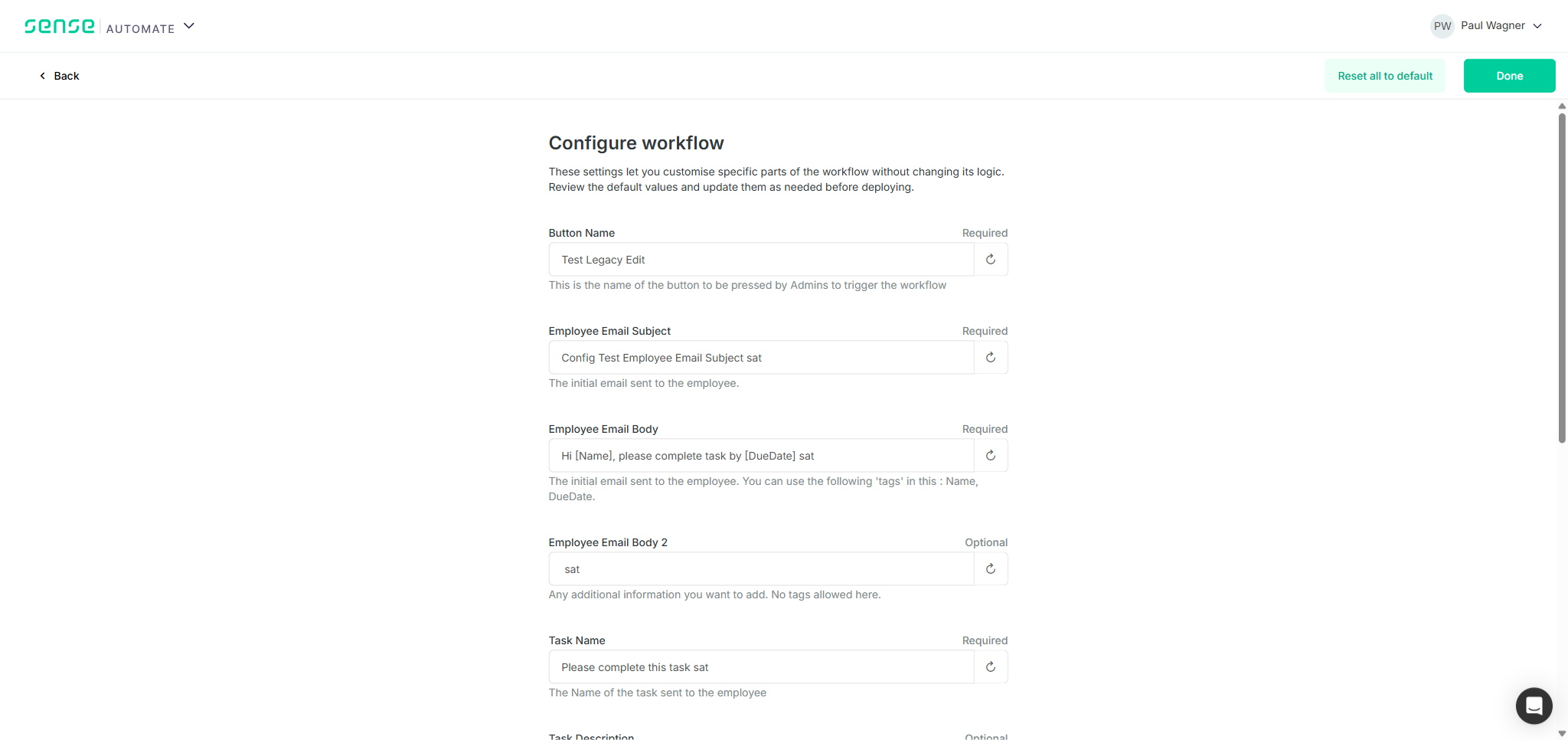
| Text-type params render as plain text inputs (Button Name, Email Subject, Body, Task Name, etc.) | PASS |
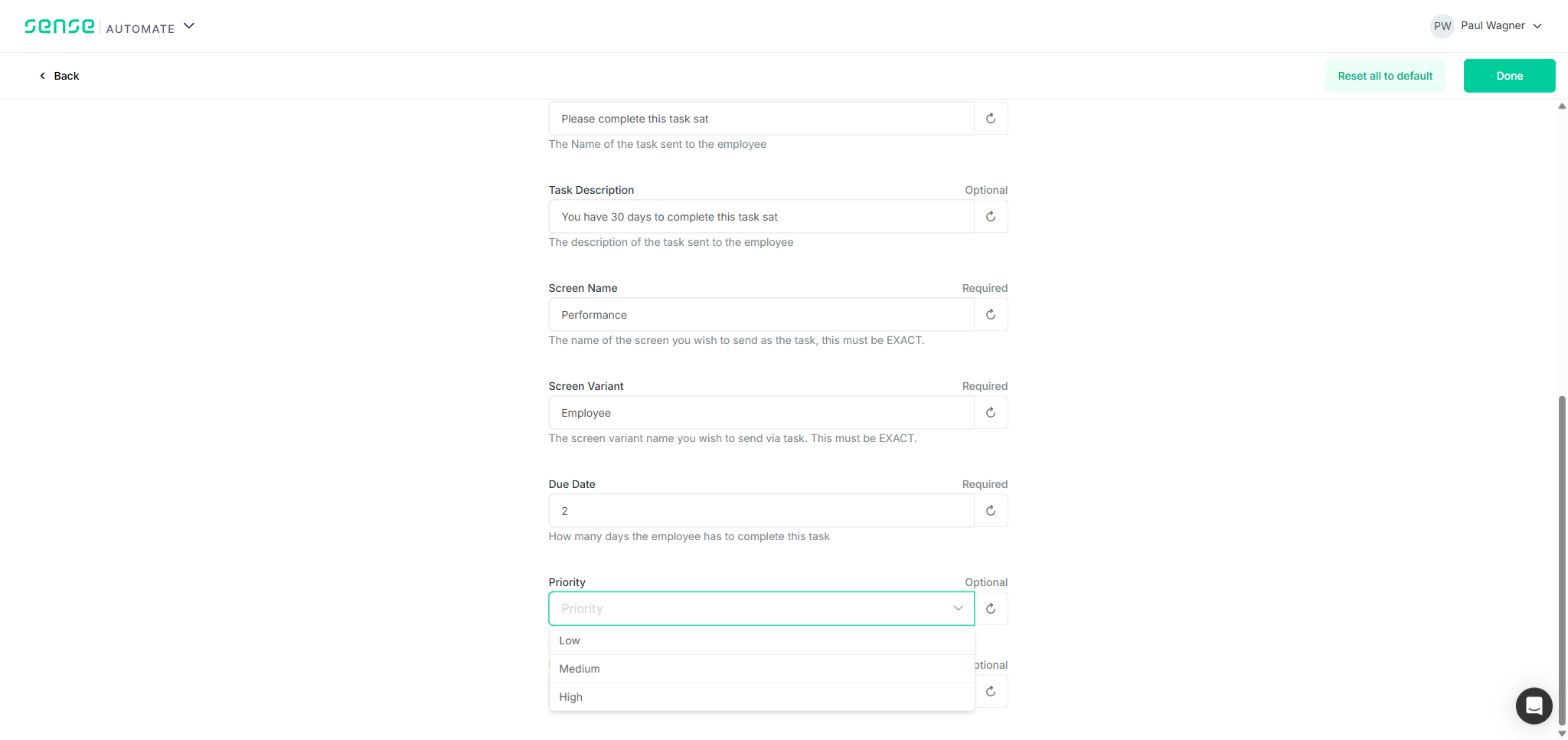
| Select-type param (Priority) renders as a single-select dropdown with options Low / Medium / High | PASS |
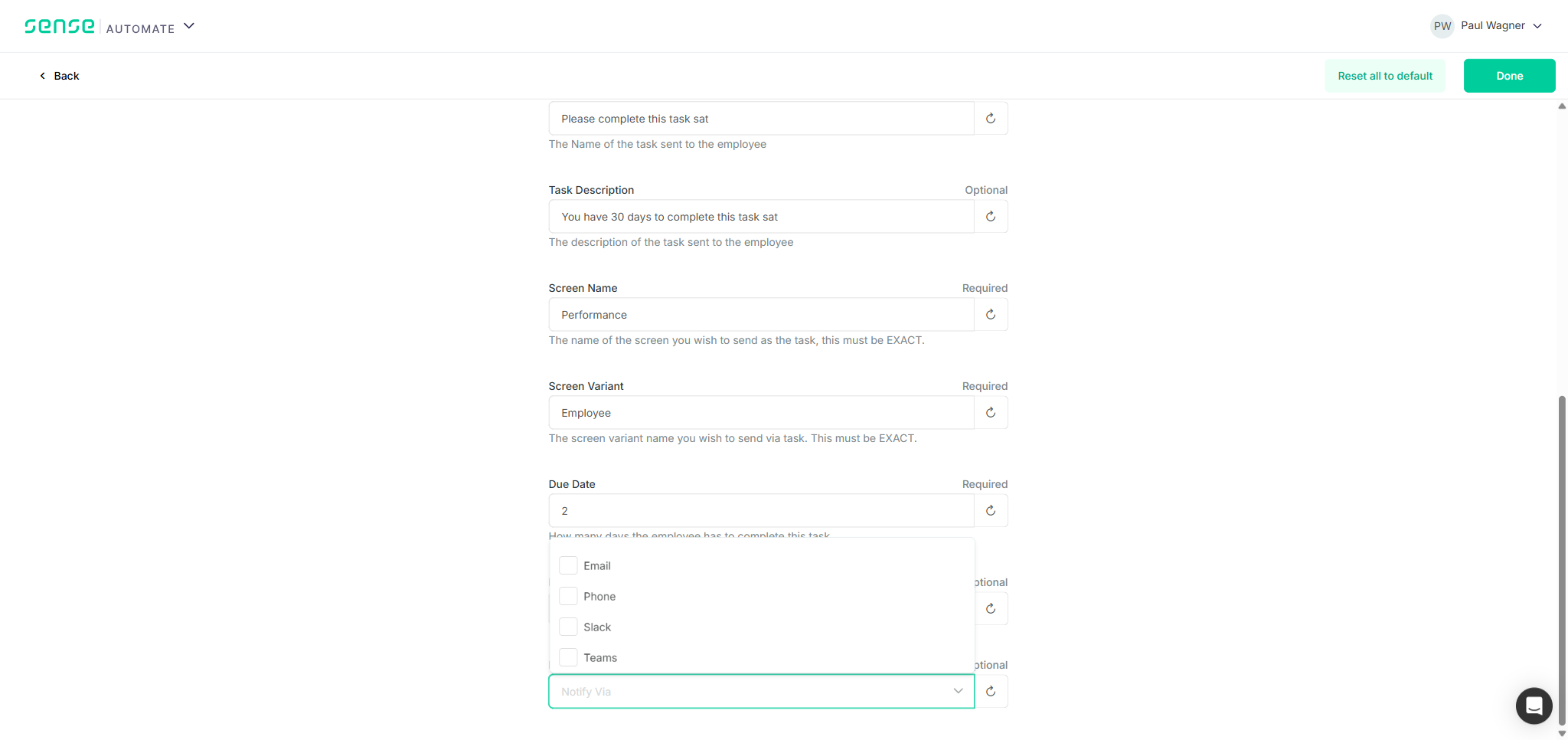
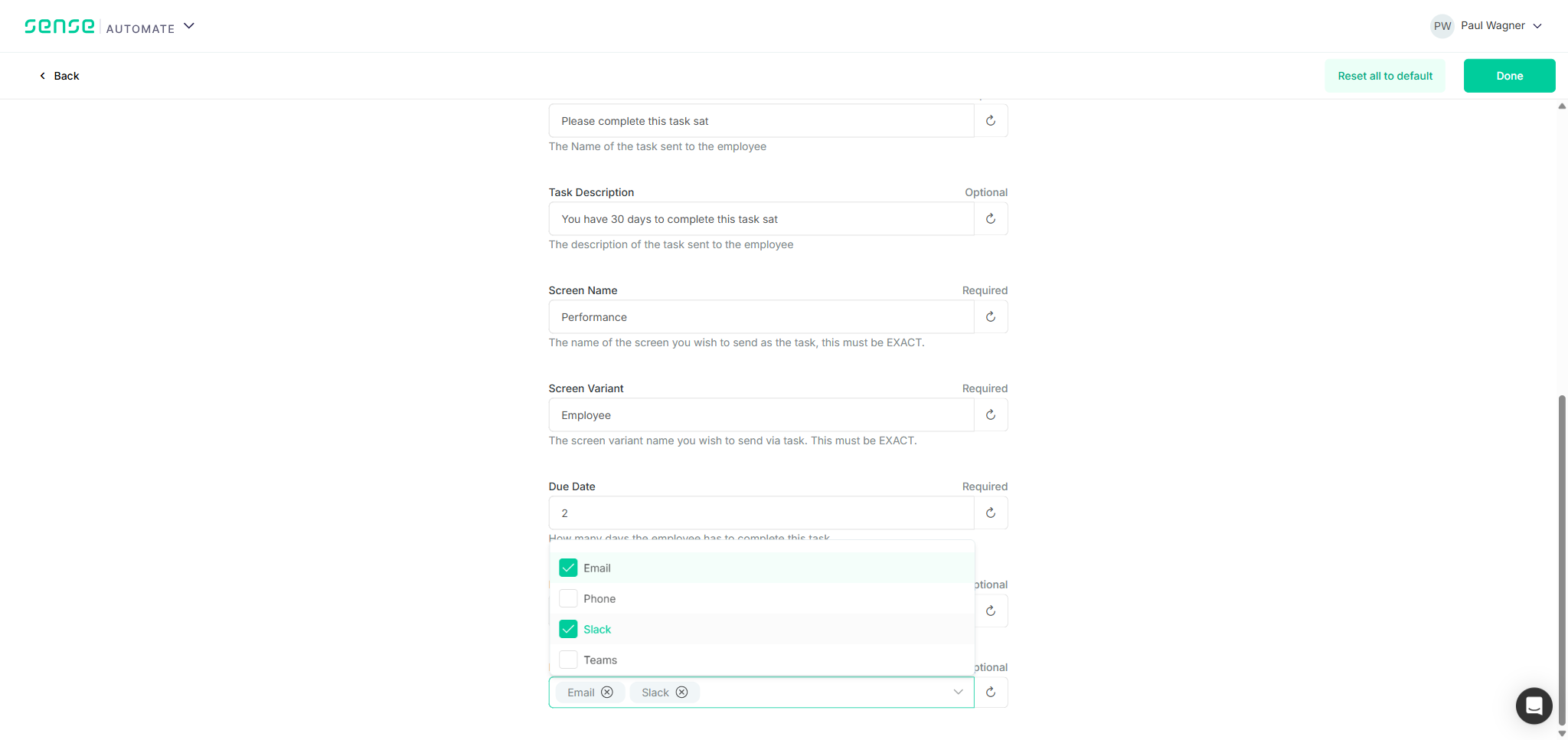
| Multi-Select-type param (Notify Via) renders as a multi-select dropdown with checkboxes (Email / Phone / Slack / Teams) | PASS |
| Field labels, Required/Optional indicators render correctly for both new typed params | PASS |
| Opening Priority dropdown shows the 3 admin-defined options and no others | PASS |
| Opening Notify Via dropdown shows all 4 admin-defined options with checkboxes | PASS |
| Mixed form (9 legacy text + 2 new typed) renders without layout breakage | PASS |
TC1 — Details
Tested against the Library installation of "Configurations Workflow Test" (QA New org) with build version 10033 deployed. The form showed all 11 parameters: 9 legacy text inputs (Button Name, Employee Email Subject, Employee Email Body x2, Task Name, Task Description, Screen Name, Screen Variant, Due Date) and 2 new typed params. Priority rendered as a PrimeVue Dropdown (combobox) with a chevron trigger — opening it revealed three options: Low, Medium, High. Notify Via rendered as a PrimeVue MultiSelect with checkboxes — opening it revealed four options: Email, Phone, Slack, Teams. All labels and Required/Optional badges were present and correct. No console errors or layout issues.

TC2 — Select Field Selection and Persistence
| Test Case | Result |
|---|---|
| Selecting 'High' from the Priority dropdown updates the field to show 'High' | PASS |
| Selecting 'Email' from Notify Via adds it as a chip/tag in the field | PASS |
| Selecting 'Slack' from Notify Via adds a second chip alongside 'Email' | PASS |
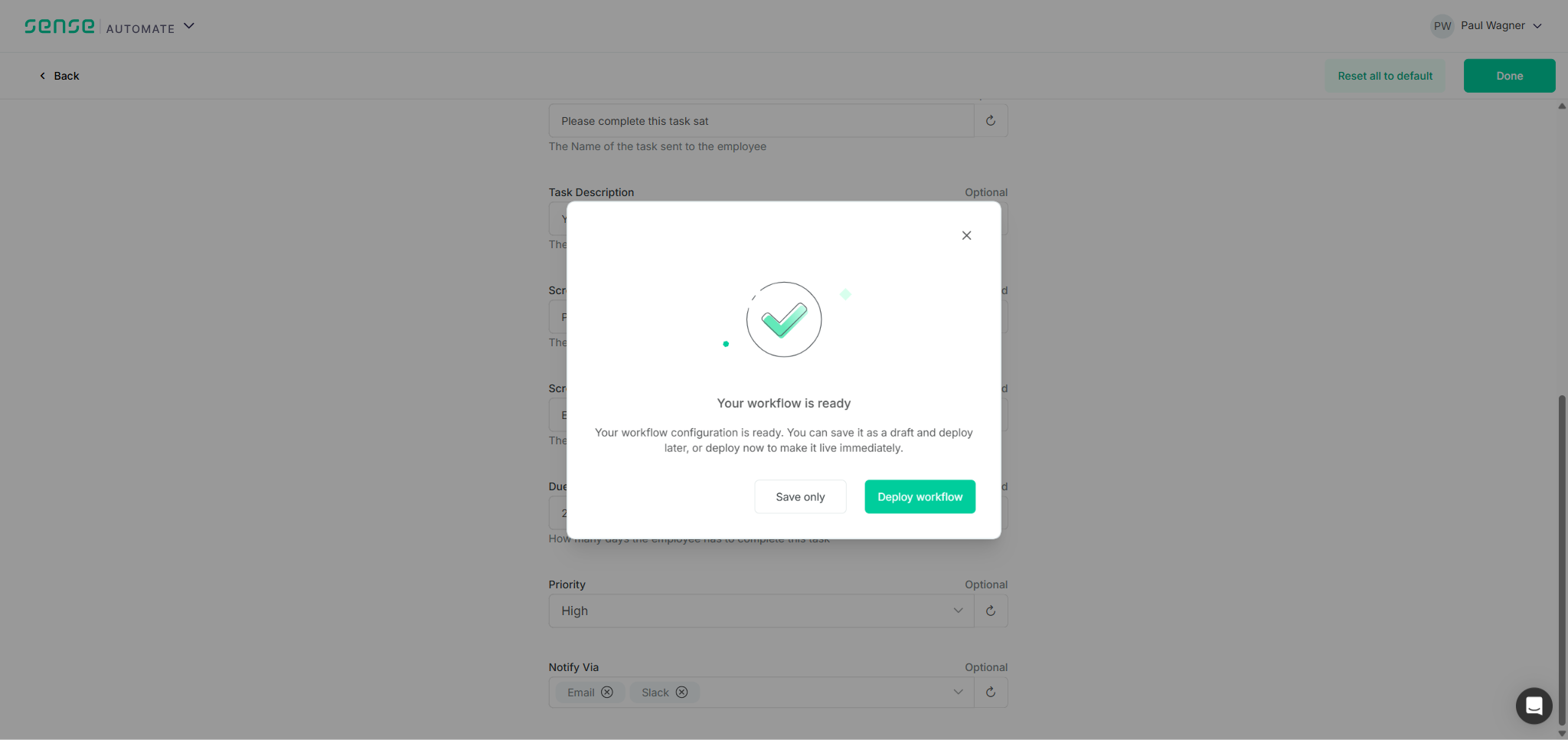
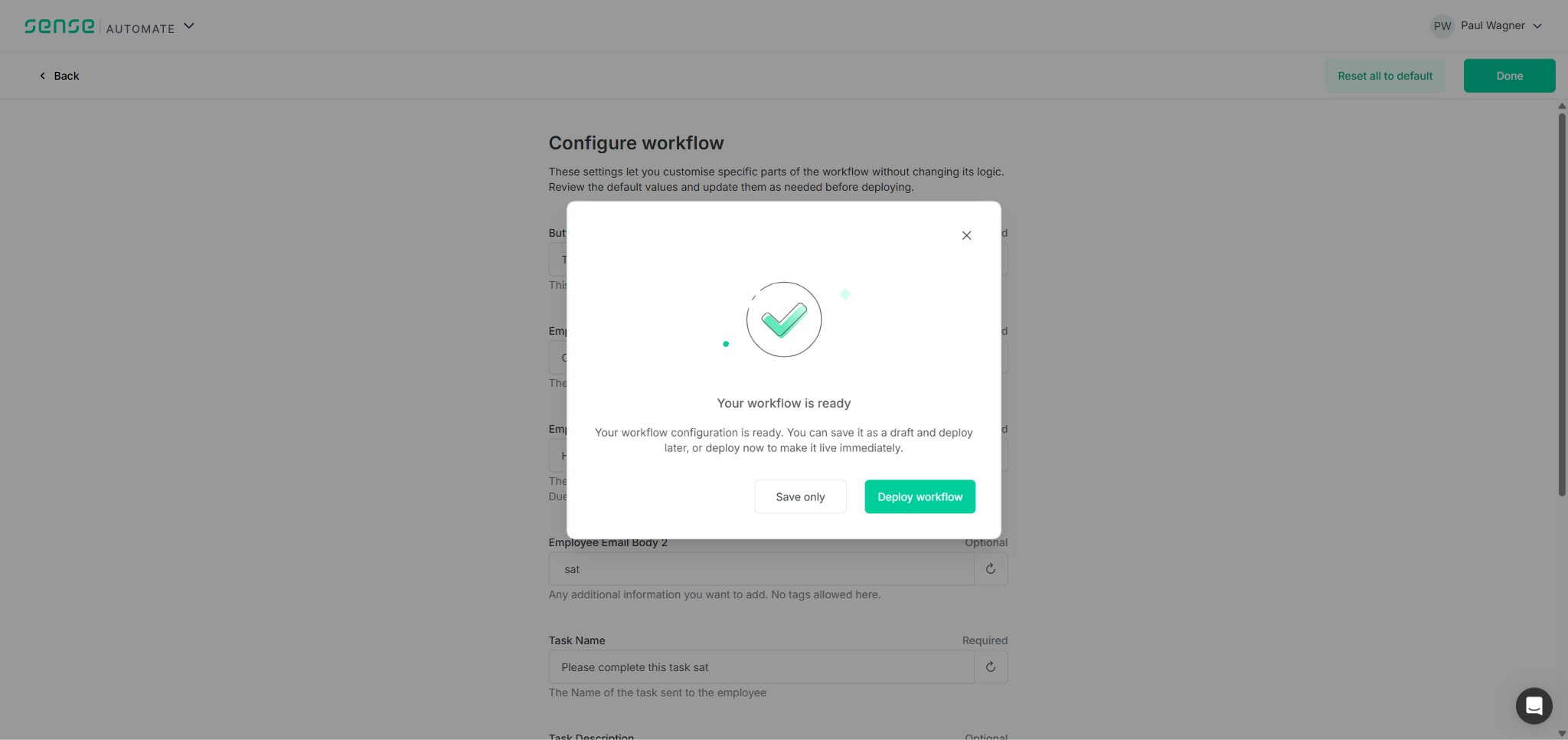
| Clicking Done triggers the save/deploy dialog | PASS |
| Choosing 'Save only' saves without deploying; form remains open | PASS |
| After page reload, Priority field still shows 'High' | PASS |
| After page reload, Notify Via field still shows 'Email' and 'Slack' chips | PASS |
TC2 — Details
Selected High from the Priority dropdown (Low / Medium / High). Then opened Notify Via and checked Email and Slack; both appeared as removable chip tags inside the field. Clicked Done, which surfaced a "Your workflow is ready" dialog offering Save only or Deploy workflow. Selected Save only. After a full page reload, Priority showed High and Notify Via showed Email and Slack chips — confirming values persisted to the server and were correctly re-loaded as the expected types.
TC3 — Backward Compatibility (User App)
| Test Case | Result |
|---|---|
| Legacy params (no field_type) render as plain free-text inputs in the user app | PASS |
| All 9 legacy parameters are visible with correct Name, Help text, Required/Optional labels | PASS |
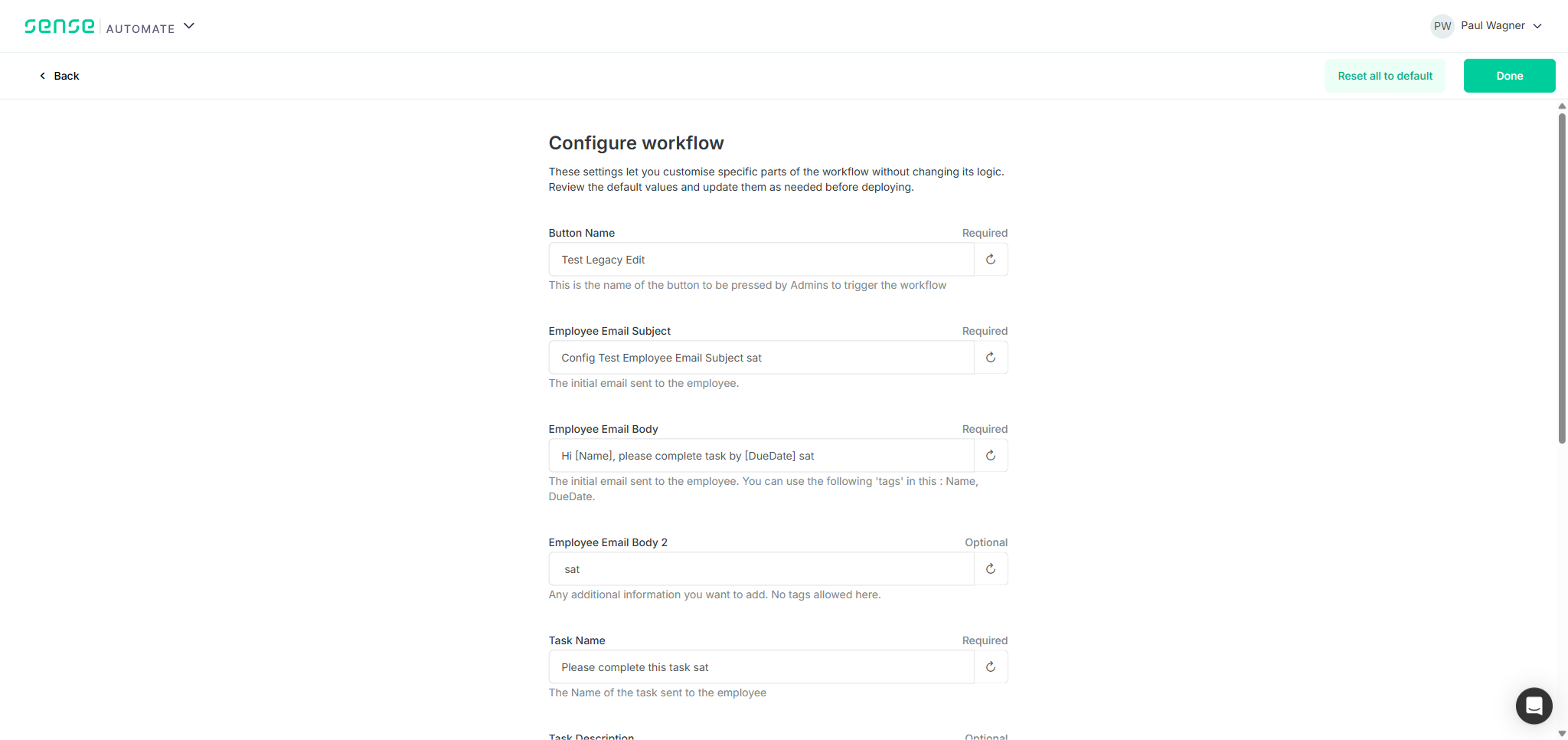
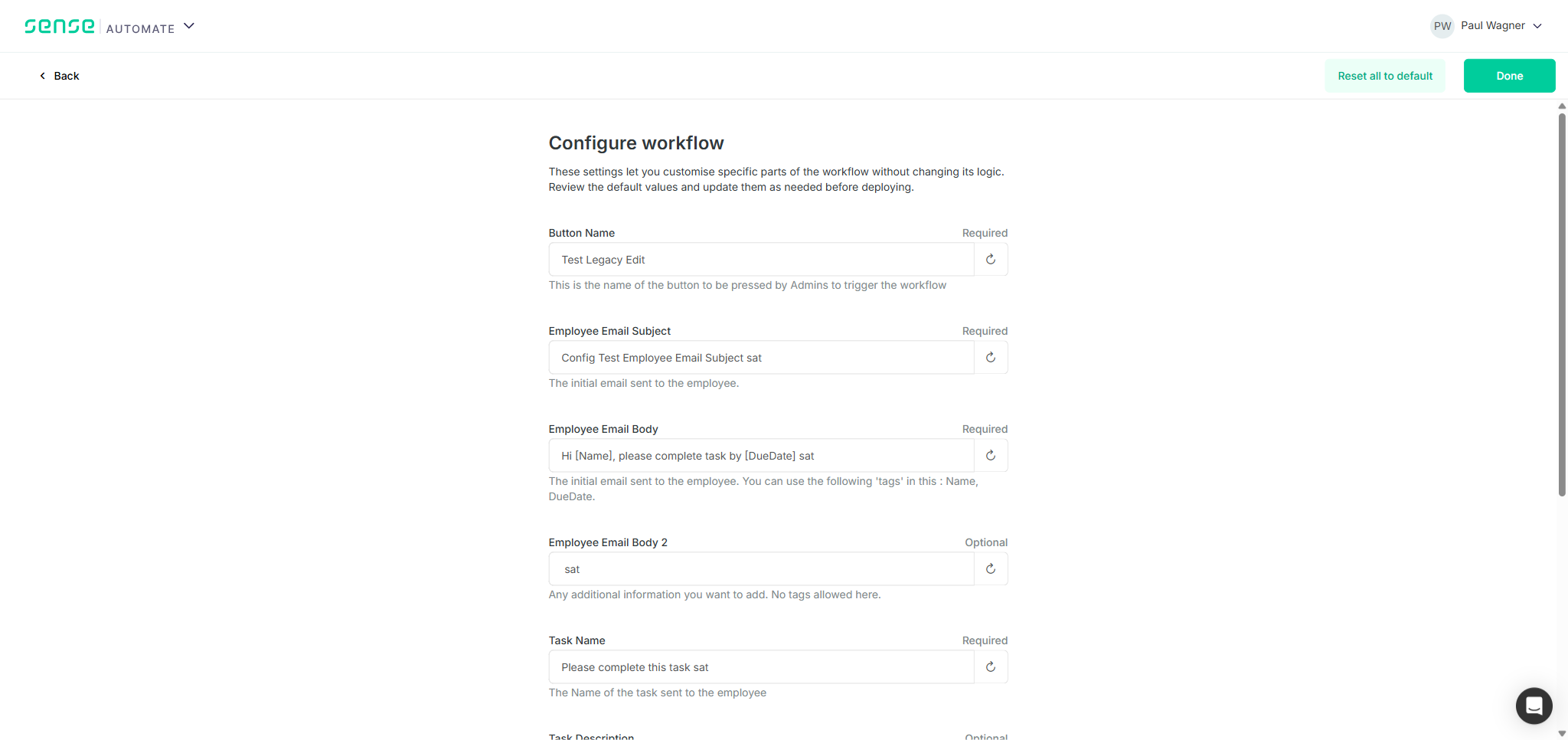
| Editing a legacy text field and clicking Save triggers a save and toast confirmation | PASS |
| Saved value persists after page reload (Button Name 'Test Legacy Edit' reloaded) | PASS |
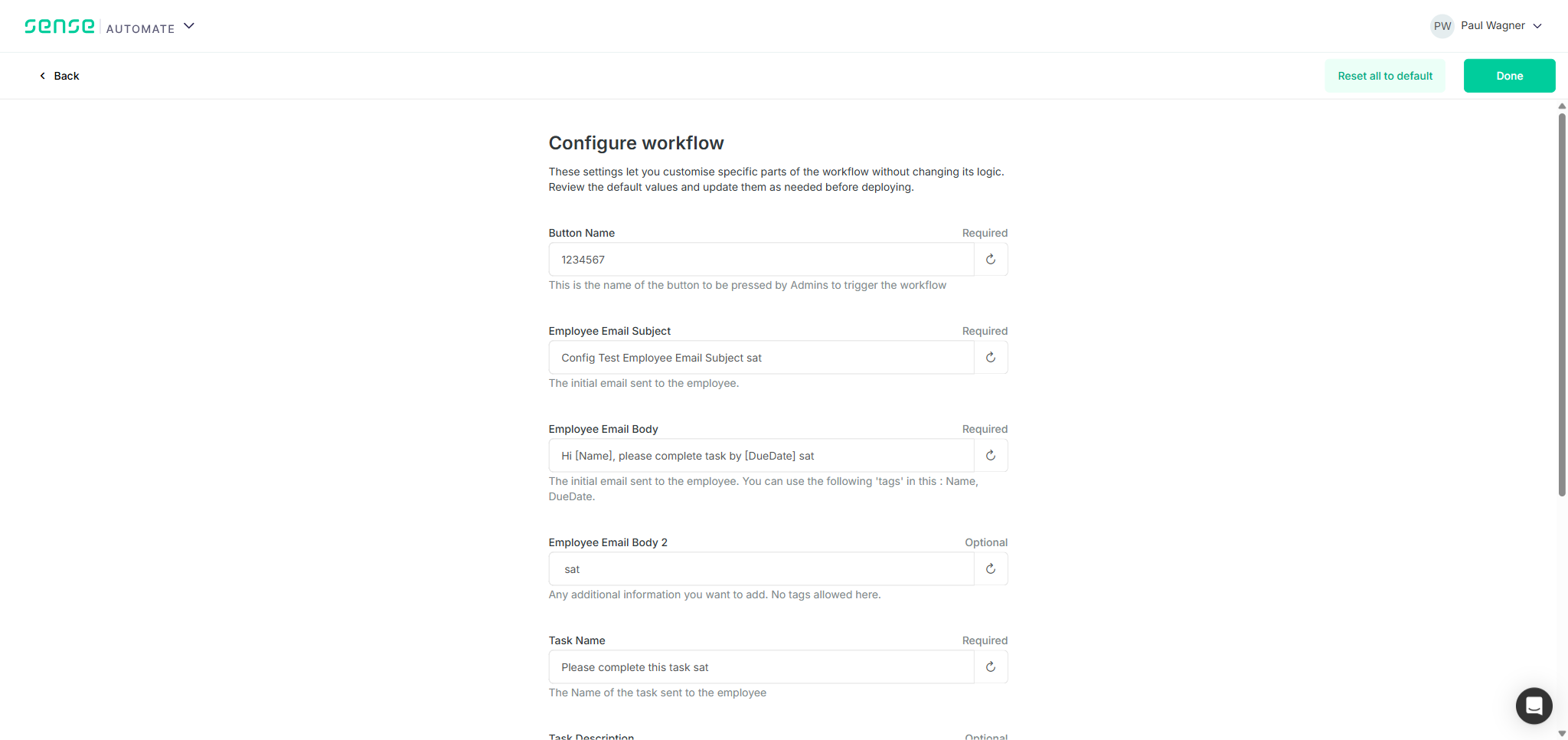
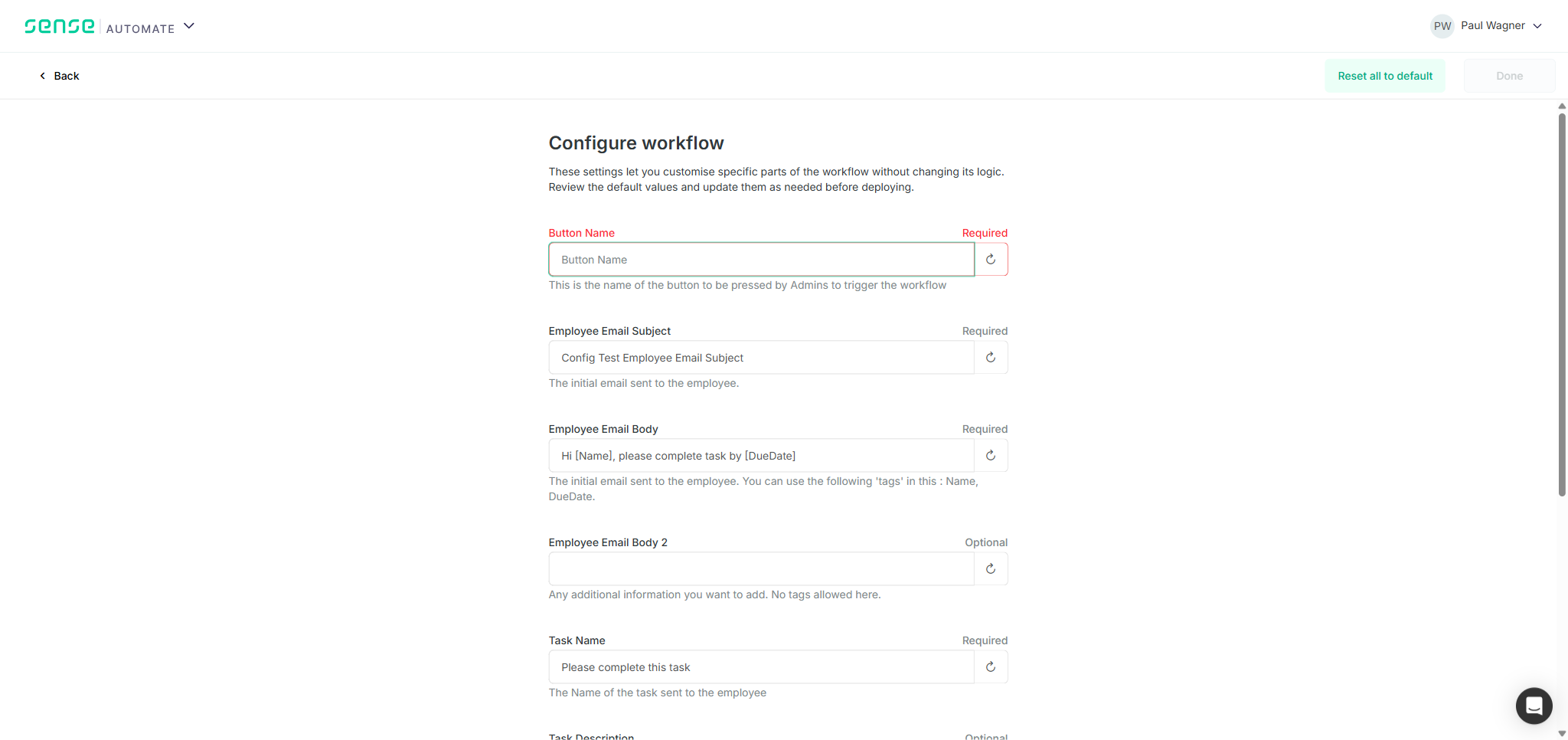
| Done button is disabled when a Required legacy field has no value (empty array = missing value) | PASS |
| No layout breakage or console errors with legacy param set | PASS |
TC3 — Details
The Library installation shows all 9 legacy parameters as standard text inputs. Labels show "Required" or "Optional" correctly. Editing Button Name to "Test Legacy Edit" and saving via the Save button succeeded (toast confirmed). After page reload, the value reloaded correctly. When the required Button Name field was cleared, the Done button became disabled, confirming that empty required fields block the deploy flow as specified.
TC4 — Repeatable Free Text Field Rendering
BLOCKED — Admin prerequisite (Repeatable field type) not implemented
This test requires a deployed workflow with at least one Repeatable (array) field type parameter, which cannot be created in the admin app because the field type does not exist in the dropdown. Blocked by the same gap as ENG-5247 TC4.
API Cost — Microsoft Azure AI Foundry
Measured via /usage in Claude Code. Model: Claude Sonnet 4.6 (claude-sonnet-4-6) via Microsoft Azure AI Foundry. Total wall time: 4h 26m 58s — API time: 1h 12m 12s.
Actual Token Usage
| Category | Tokens | % of Total | Rate (Sonnet) | Cost |
|---|---|---|---|---|
| Cache read Conversation context + browser snapshots re-sent each turn | 50,500,000 | 97.3% | $0.30/1M | $15.15 |
| Cache write New content per turn: tool results, snapshots, assistant output | 1,200,000 | 2.3% | $3.75/1M | $4.50 |
| Output Text, tool calls, reasoning | 157,900 | 0.3% | $15.00/1M | $2.37 |
| Input (uncached) Cache hit rate >99.9% | 33,100 | 0.1% | $3.00/1M | $0.10 |
| Total | 51,891,000 | 100% | $22.18 |
Cost vs. Previous Session (2026-05-13)
The previous ATS full regression cost $81.77 for 120.7M tokens over 3 sessions using Claude Opus 4.6. This Sonnet session cost $22.18 for 51.9M tokens across 2 context windows — 3.7× cheaper overall. Breakdown of savings:
- Model savings: Sonnet cache-read rate ($0.30/1M) vs. Opus ($1.875/1M) — 6.25× cheaper per cache-read token, which is 97.3% of all tokens in this session
- Volume savings: 51.9M vs. 120.7M tokens — 2.3× fewer tokens due to focused scope (8 TCs vs. 30 test areas)
- Cost driver: Cache reads ($15.15, 68% of total) — dominated by large Playwright browser snapshots being re-sent as cached context each turn
Screenshot Gallery
Click any image to expand. 22 screenshots across ENG-5247 (admin app) and ENG-5261 (user app).
ENG-5247 — Admin App Screenshots
ENG-5261 — User App Screenshots (TC1 & TC2)
ENG-5261 — User App Screenshots (TC3)
Conclusion
ENG-5247 and ENG-5261 core functionality is implemented and working correctly. The Field Type selector (Text / Select / Multi-Select) is present in the admin app Configuration schema editor, all three types persist after save and reload, and the user app renders typed parameters as the correct input controls — Select as a dropdown, Multi-Select as a multi-checkbox dropdown — with full save/reload persistence. Legacy parameters without a defined type correctly fall back to Text rendering throughout.
- ENG-5247 TC1, TC3 — PASS: Field types create, persist, and display correctly
- ENG-5247 TC2 — PASS with 2 bugs: Options editor functional; zero-option Select saves without validation; row checkmark shows no unsaved-changes indicator
- ENG-5261 TC1 — PASS: User app renders Select as dropdown, Multi-Select as checkbox dropdown; all 11 params display correctly side-by-side
- ENG-5261 TC2 — PASS: Select and Multi-Select values persist after Save only + page reload
- ENG-5261 TC3 — PASS: User app backward compatibility confirmed; required field validation gates deploy correctly
Blocked items (not regressions): 2 of 8 test cases remain blocked — ENG-5247 TC4 and ENG-5261 TC4 — because the Repeatable (list/array) field type is not yet in the admin app Field Type dropdown. These need to be unblocked before final sign-off on the Repeatable field aspect of the stories.
Recommended Next Steps
- Fix BUG-2 (zero-option Select saves without validation) before marking ENG-5247 as Done — this creates an unusable configuration parameter in the user app.
- Fix BUG-1 (no unsaved-changes indicator after row checkmark) — add a dirty-state badge or highlight on the toolbar Save button so users know the second step is still required.
- Implement Repeatable field type in the admin app dropdown, then re-run ENG-5247 TC4 and ENG-5261 TC4.